01
A portal per client
Give each client its own logo and colours on your normal Moodle™ login page.
Client Portal
Give every corporate client its own branded portal. Their managers log in and see their own people's progress, grades and certificates, and nothing else. You stop answering “how are my people going?” emails.

What clients see
01
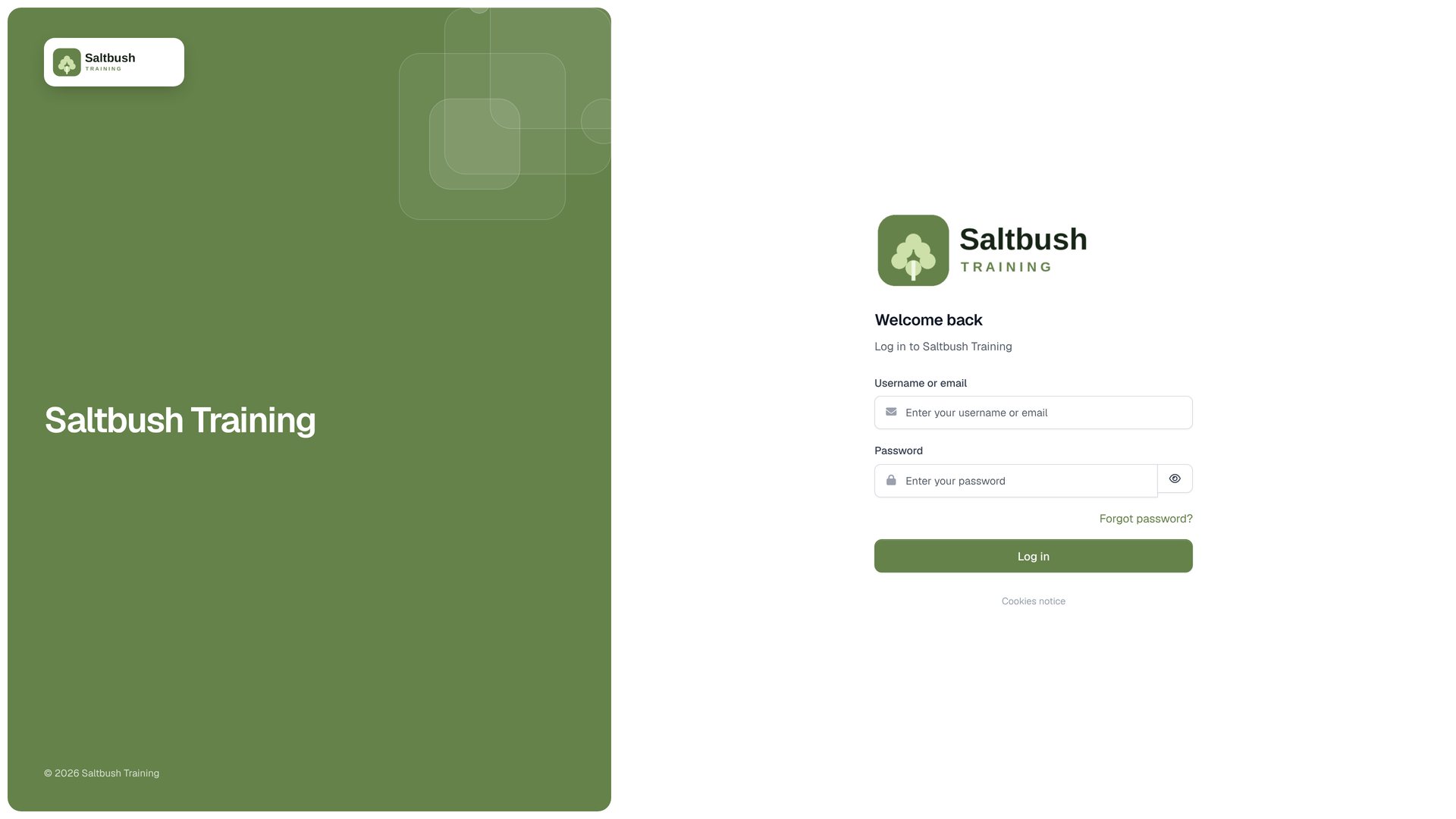
Give each client its own logo and colours on your normal Moodle™ login page.
02
Client staff stay in their portal and cannot browse courses or other site pages.
03
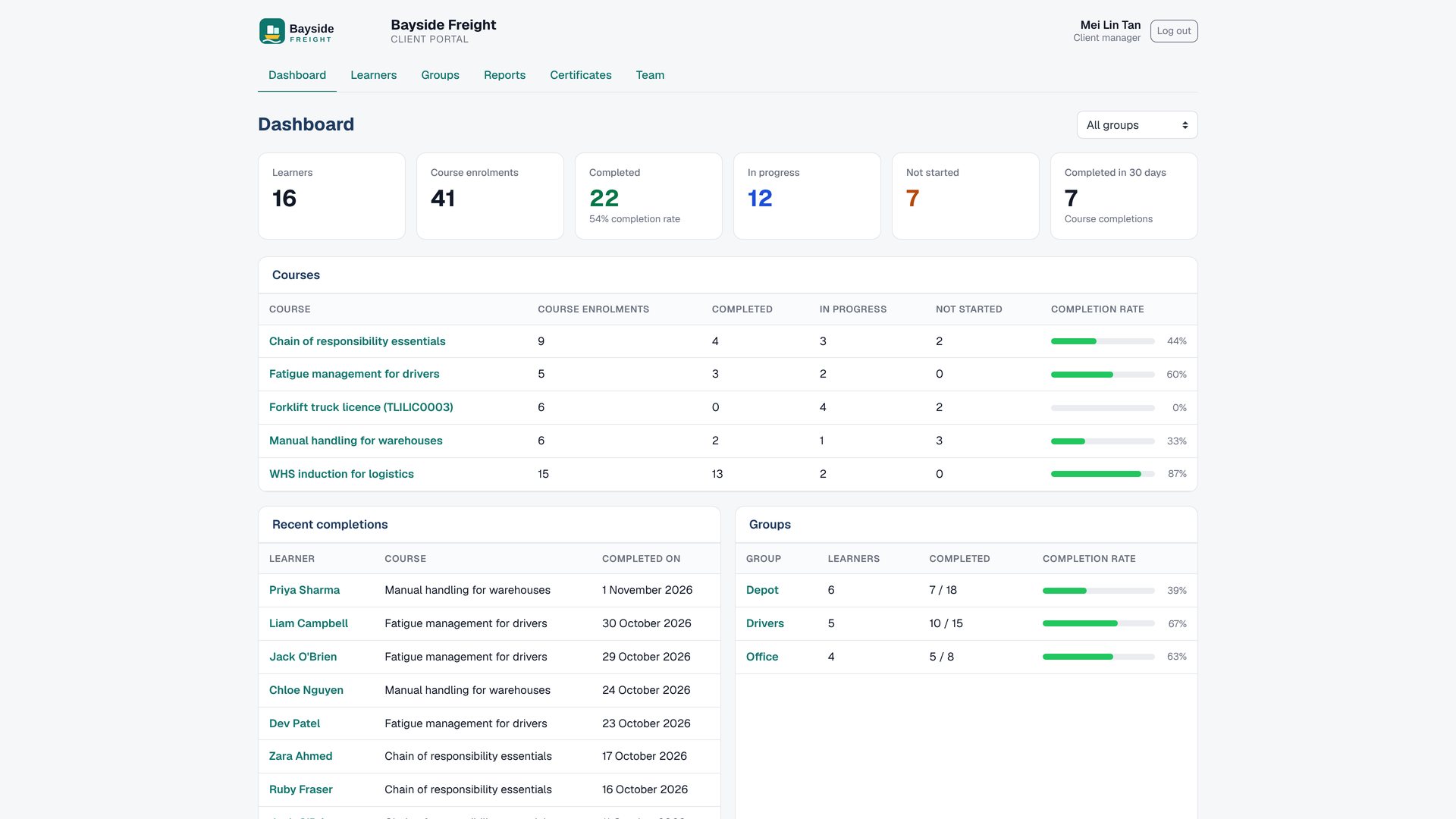
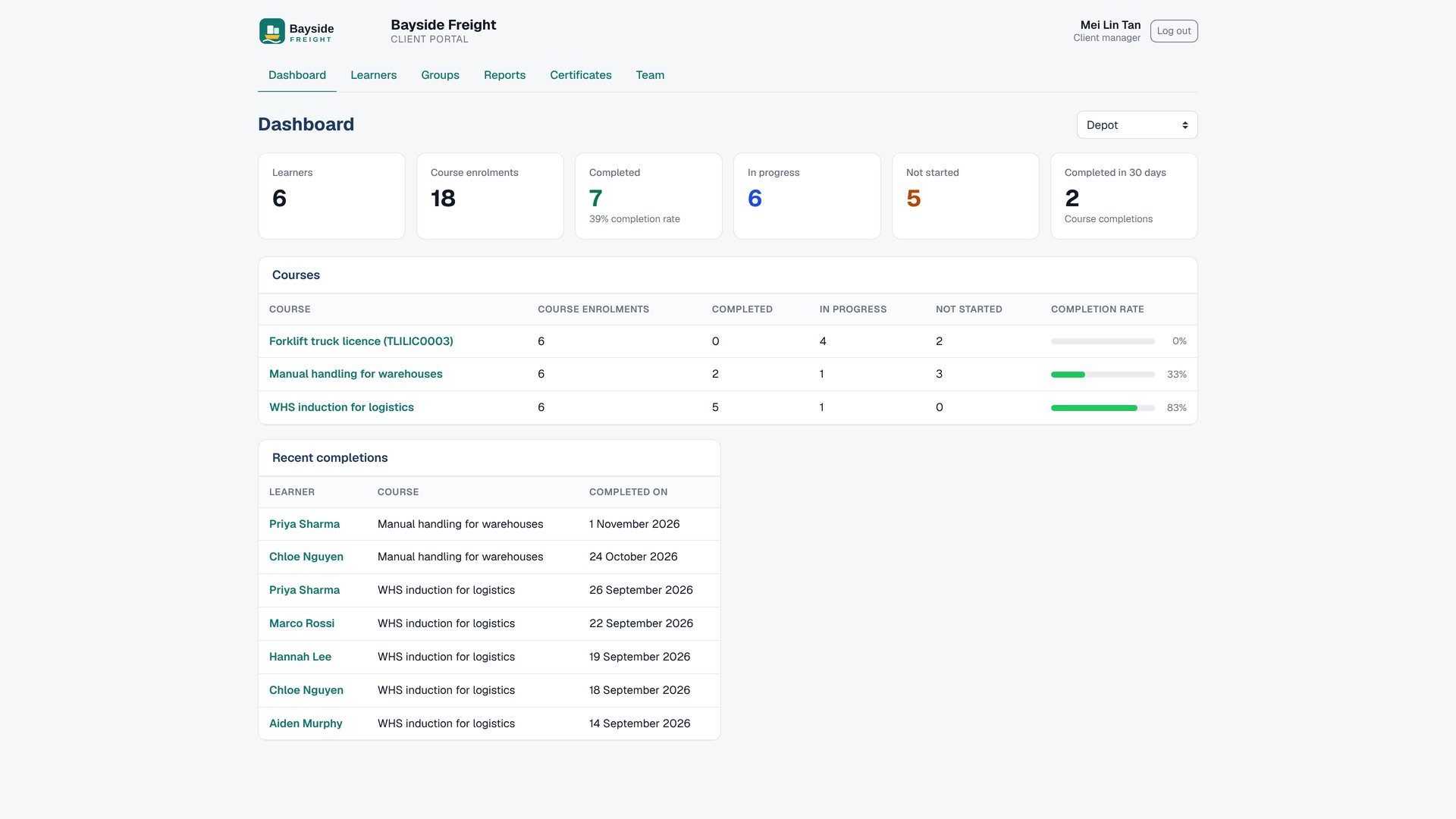
See progress across the client, or filter the dashboard to one group.
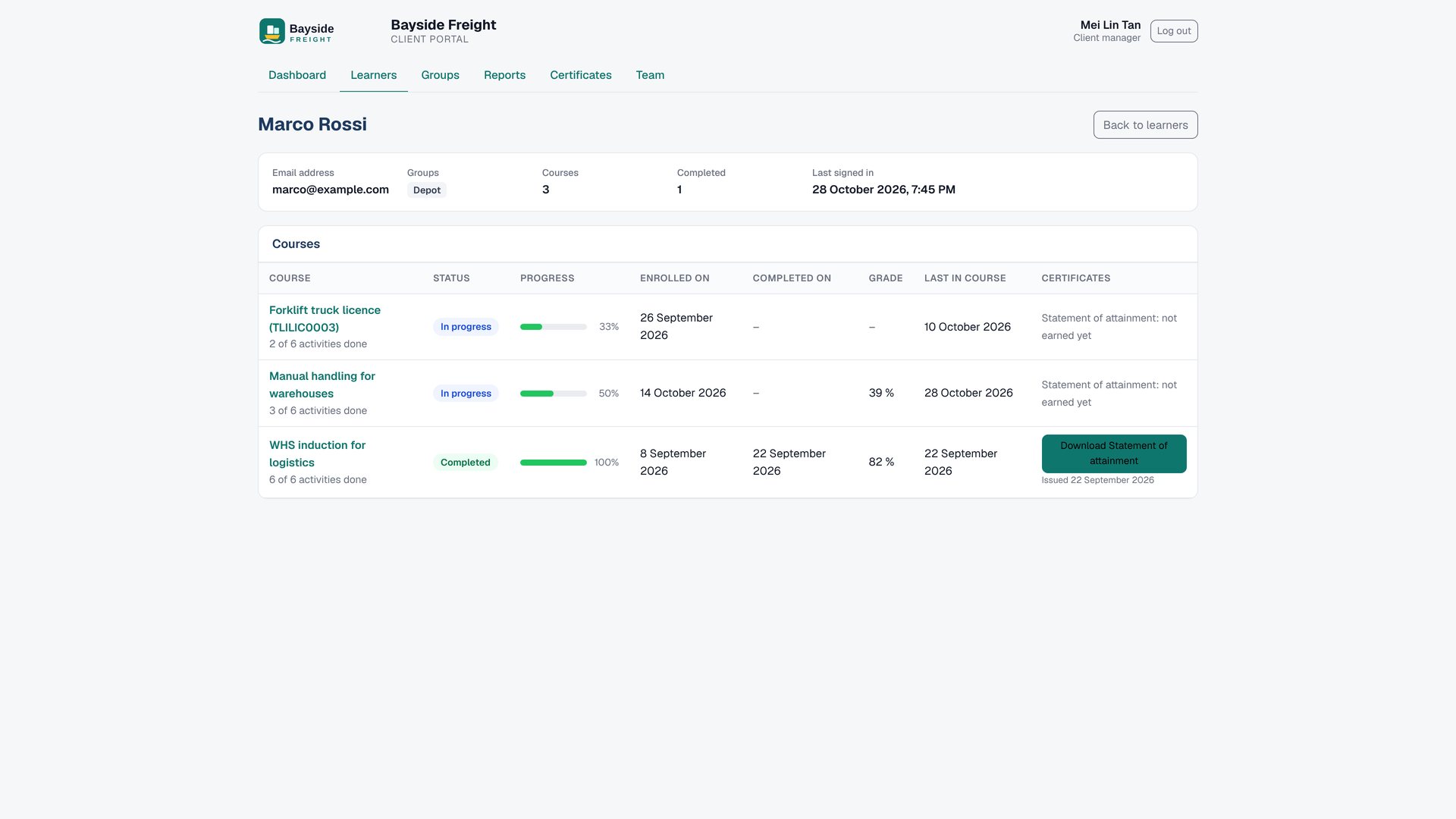
04
Open a learner to review courses, activity completion, grades and certificates.
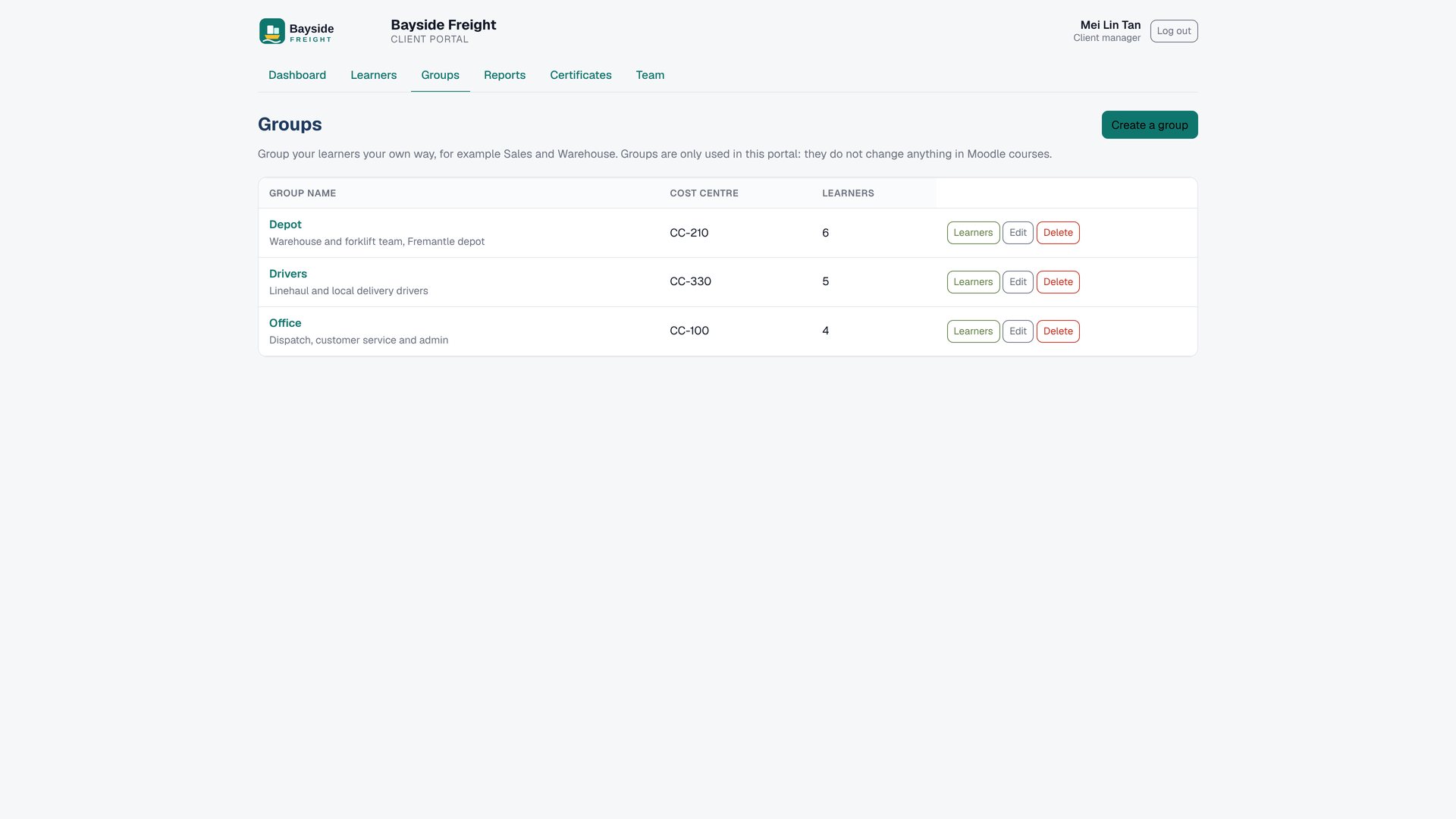
05
Organise learners in portal-only groups, with an optional cost centre.
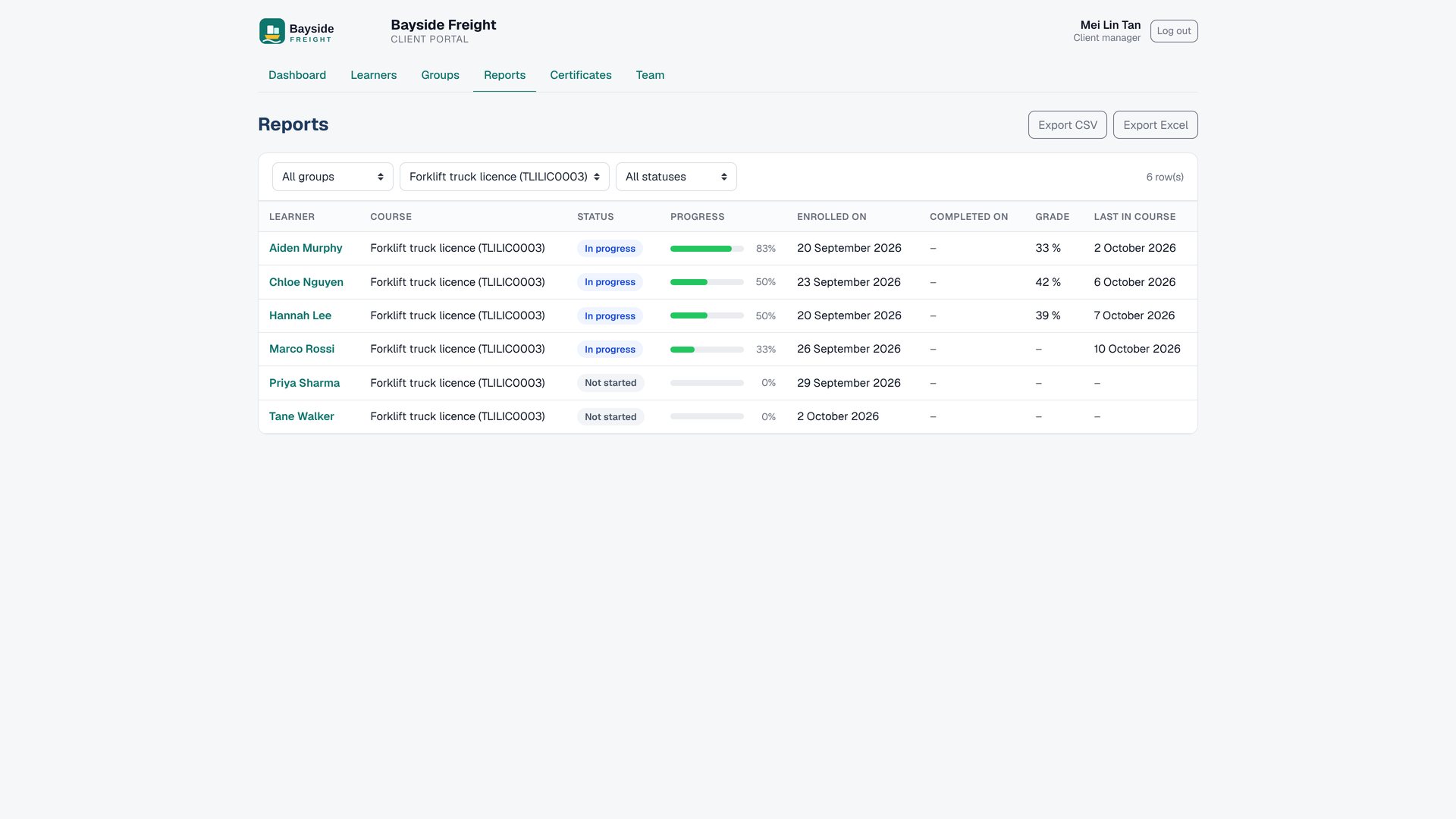
06
Review course progress and export reports to Excel or CSV.
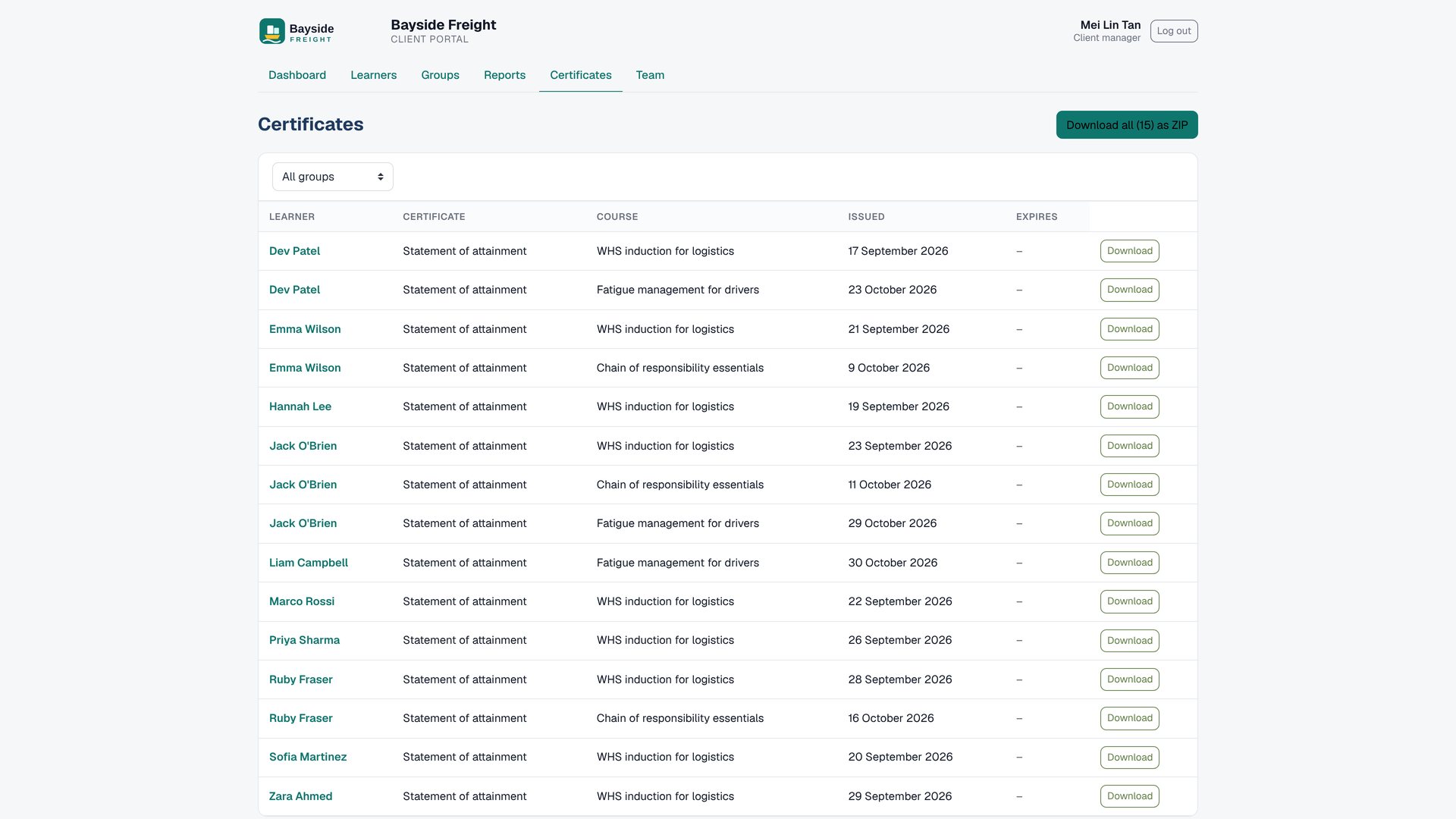
07
Download one certificate or bundle a learner’s certificates in a ZIP.
08
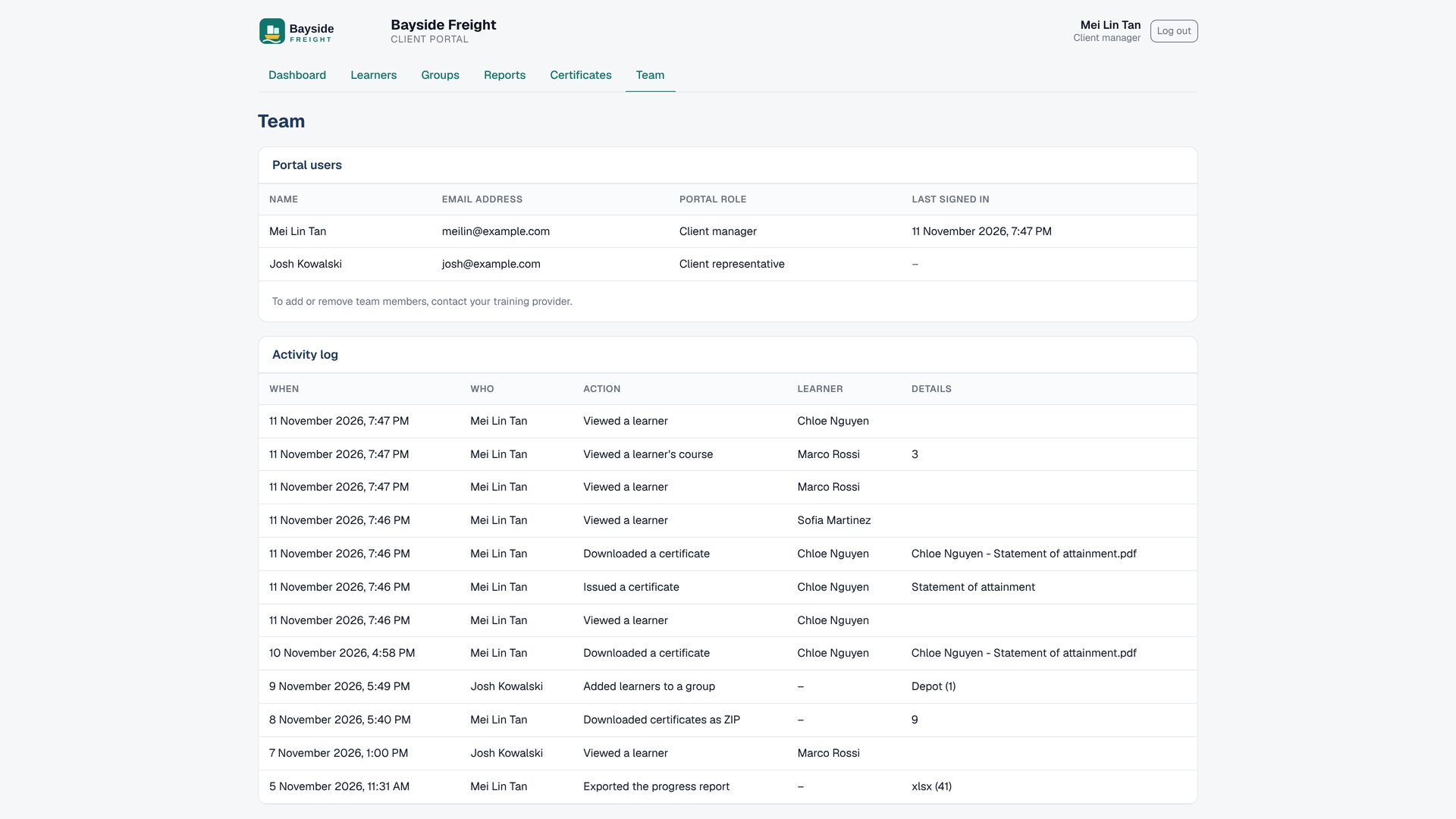
Client managers can review who has access and see a record of portal actions.
09
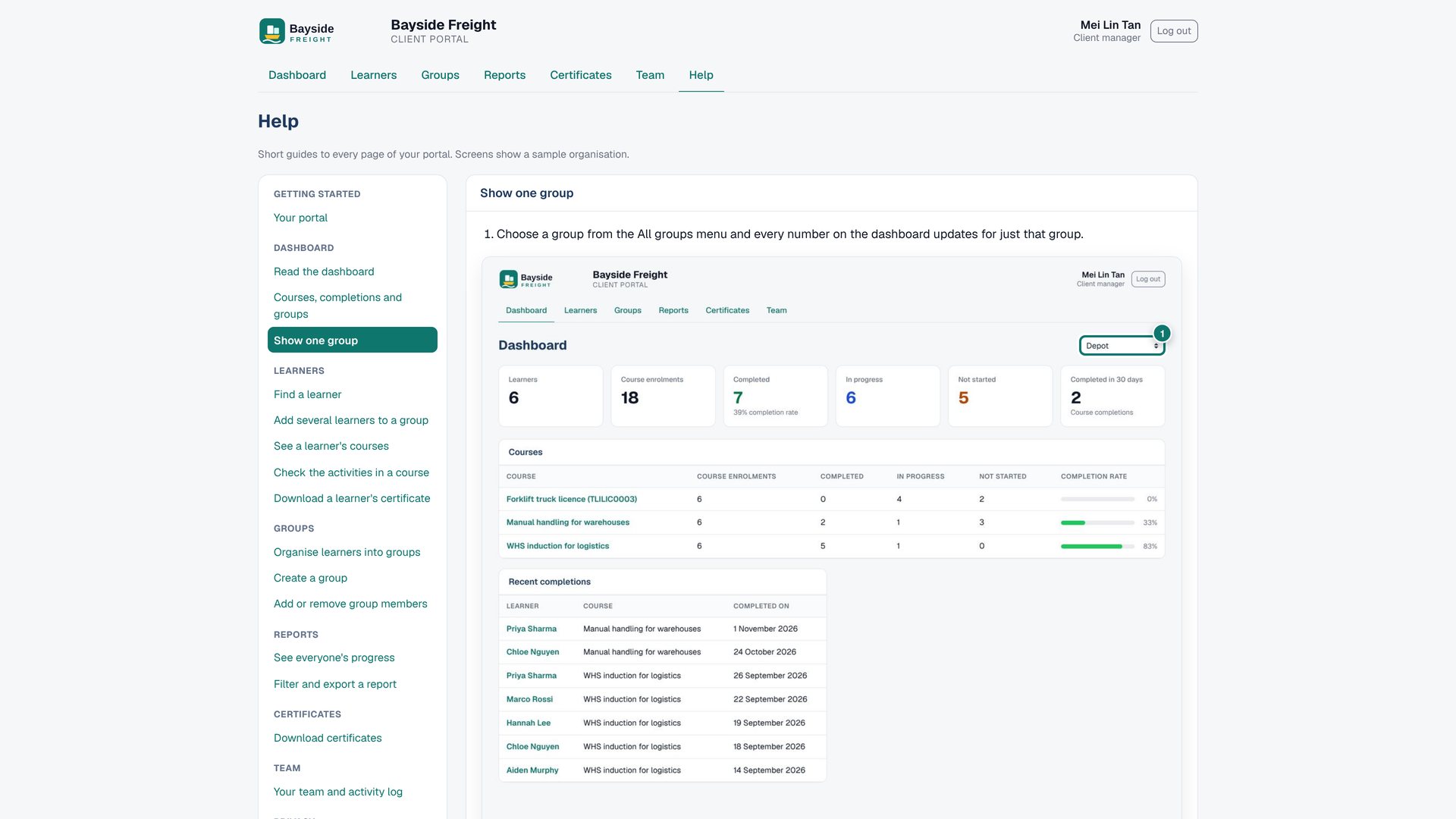
Give client staff 17 short, screenshot-guided help instructions inside Moodle™.
10
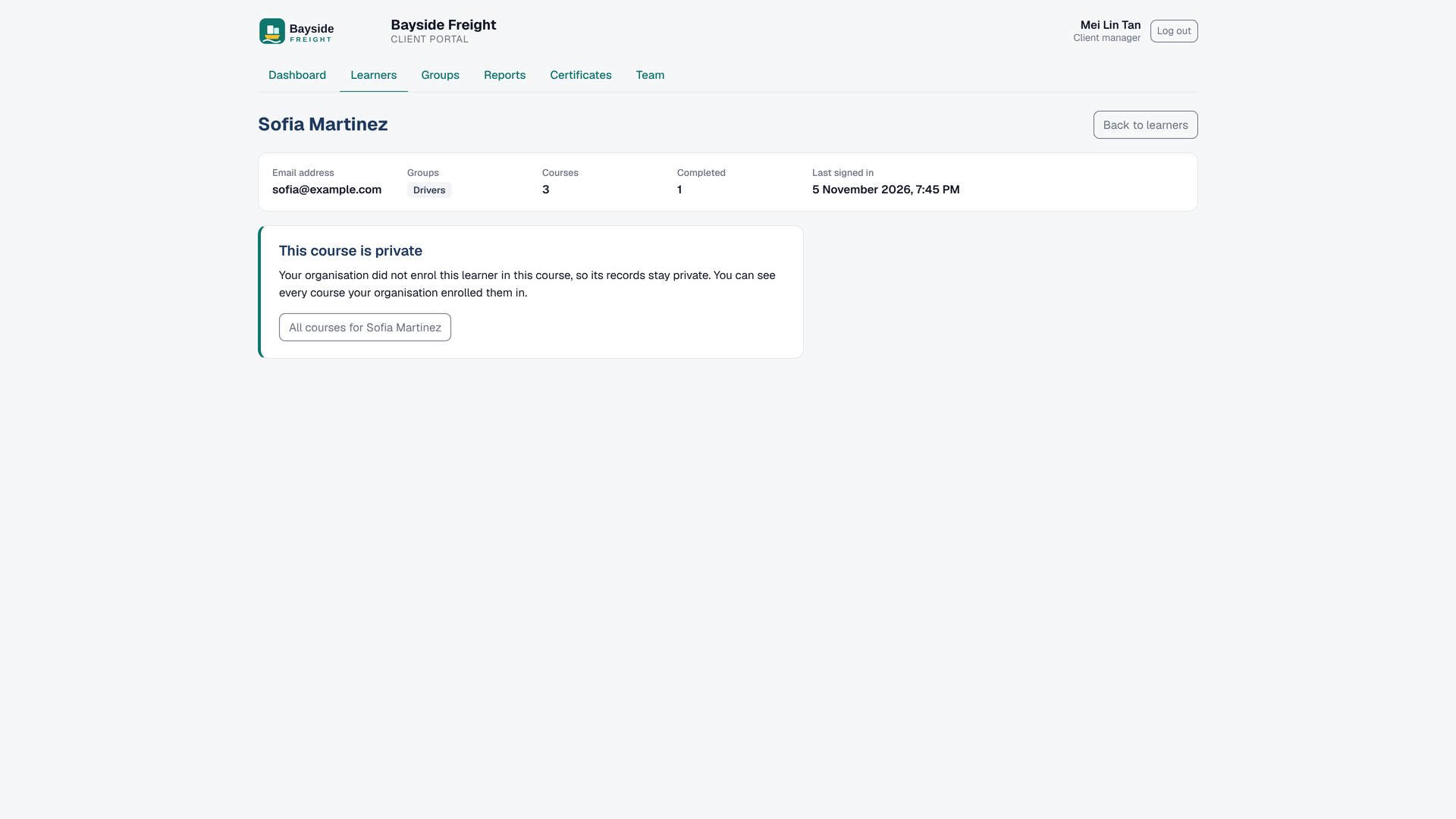
Each client sees only the enrolments assigned to its organisation.
Client Portal reads your Moodle data: enrolments, activity completion, grades and certificates. No AI, no AI credits, no ChatGPT.
Moodle™ 4.4 to 5.3. Use Cohort Branding for client logos and colours, the Premium SaaS theme, Custom certificate (including Moodle 5.2+) and Certificate manager.
Clients only see the enrolments assigned to their organisation.
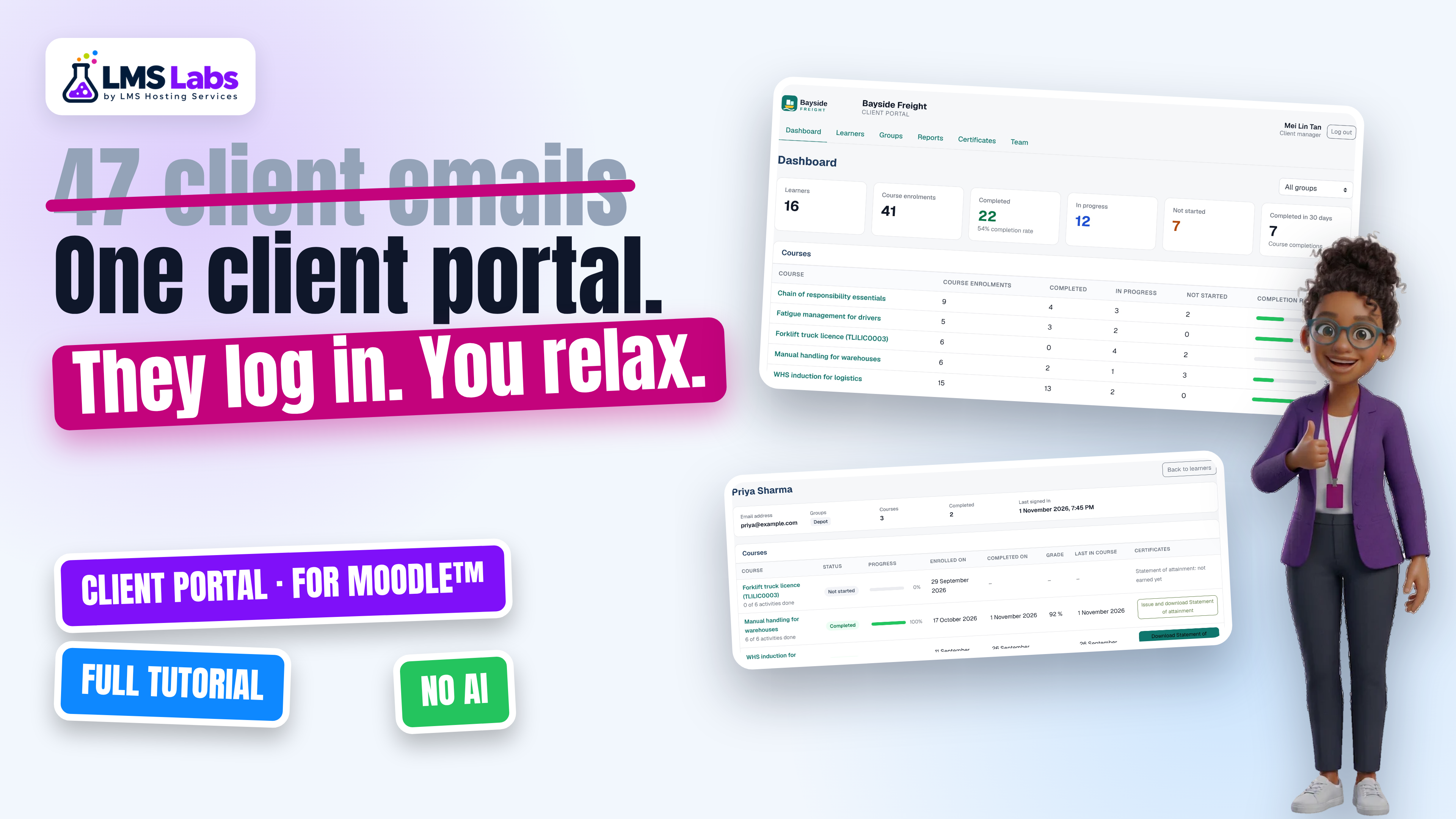
Full tutorial · 5:23
Product screens
The screenshots show Saltbush Training and Bayside Freight, fictional demo organisations.
No. Client staff are returned to their portal when they try to open other pages. Site administrators keep their normal access.
You choose which client owns each enrolment. The other client does not see that course.
No. Client Portal groups exist only in the portal and do not change Moodle courses, cohorts or Moodle groups.
Those functions are planned for a later release. This release does not let clients enrol people or take payments.
No. It reads Moodle enrolments, activity completion, grades and certificates. It uses no AI, AI credits or ChatGPT.
Client Portal for Moodle™
500 Credits ($50 USD) one-time. No AI charges.
Moodle™ is a registered trademark of Moodle Pty Ltd.