01 — NAVIGATE
Task-based menu
People, courses, reports and tools are easy to scan from the admin sidebar.
A faster admin-panel feel for Moodle site owners, trainers and assessors. Explore the real screens: task-based navigation, keyboard search, and visual guidance built into the experience.
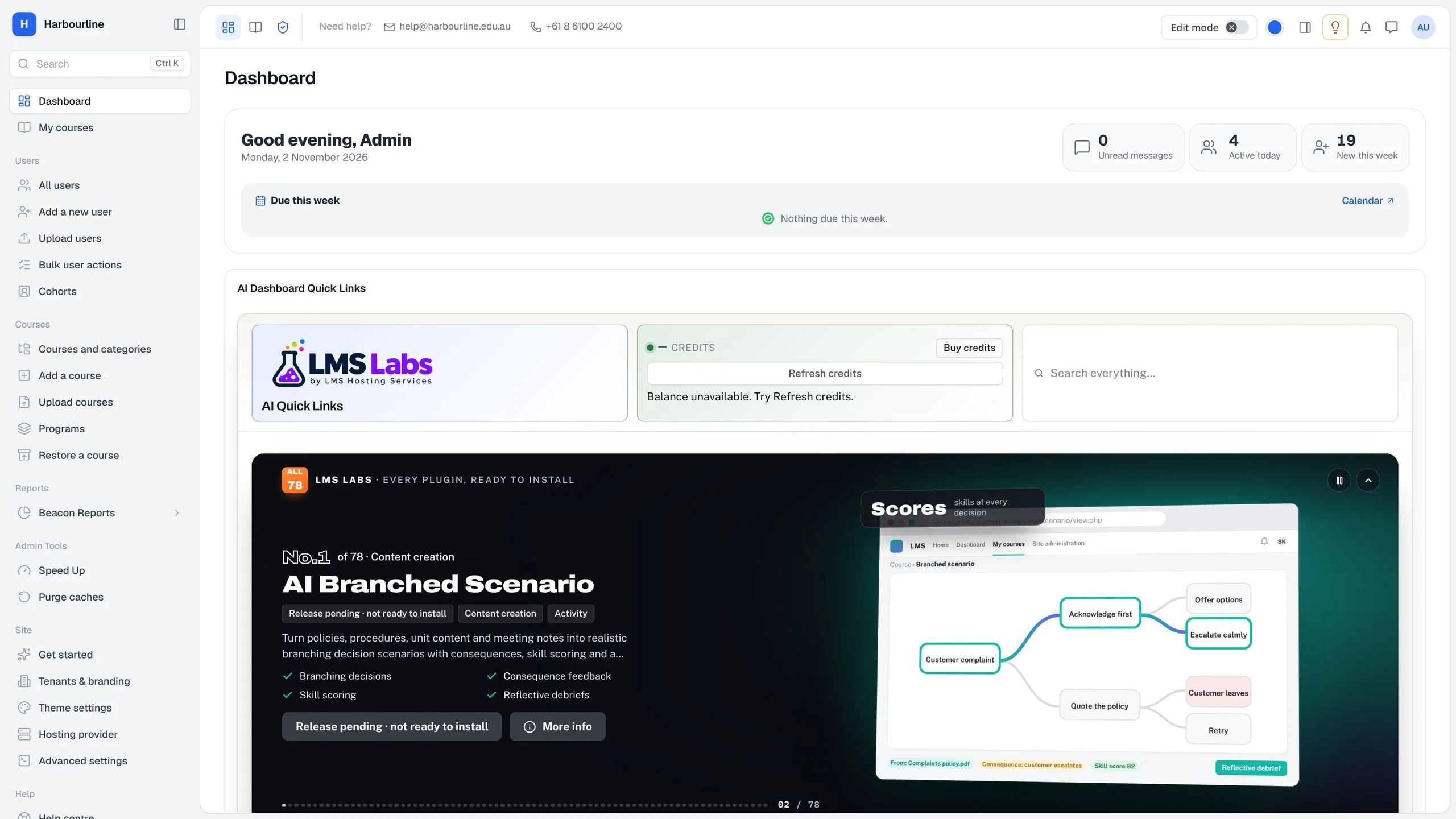
The left-hand menu organizes Moodle tasks into clear destinations. Need to jump straight to something? Search puts pages, courses and settings within reach from the keyboard.
Open the search panel and inspect its focused, keyboard-first design. The screen shows page, course and settings results in one place.
People, courses, reports and tools are easy to scan from the admin sidebar.
Search pages, courses and settings without browsing a long trail of menus.
Built-in guidance includes visual walkthroughs for setup and selected tools.
Prefer the standard Moodle theme? The package includes a one-click return to Boost.
Premium SaaS adds a more guided admin experience while keeping the standard Boost theme one click away. The theme is free and uses no AI credits.