Client Portal for Moodle™
Give every corporate client its own branded portal. Their managers sign in and see their own people's progress, grades and certificates, and nothing else. You stop answering "how are my people going?" emails.
lms-labs.com →

1Welcome
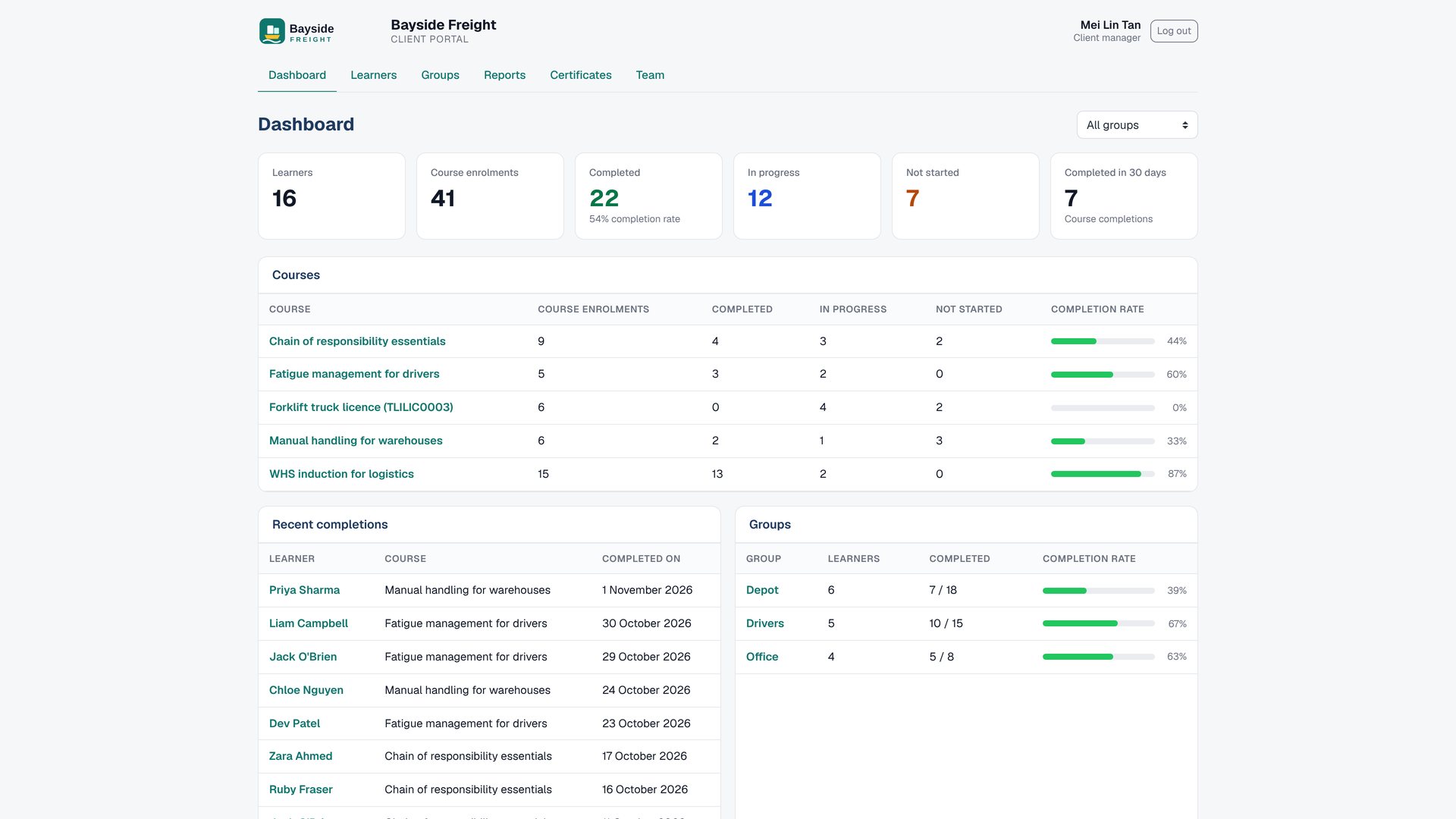
Client Portal gives every corporate client its own branded portal in your Moodle™ site, so their managers can check on their own people without emailing you.
 123
- 1 Branded
- 2 Learners
- 3 Certificates
2Set up a client
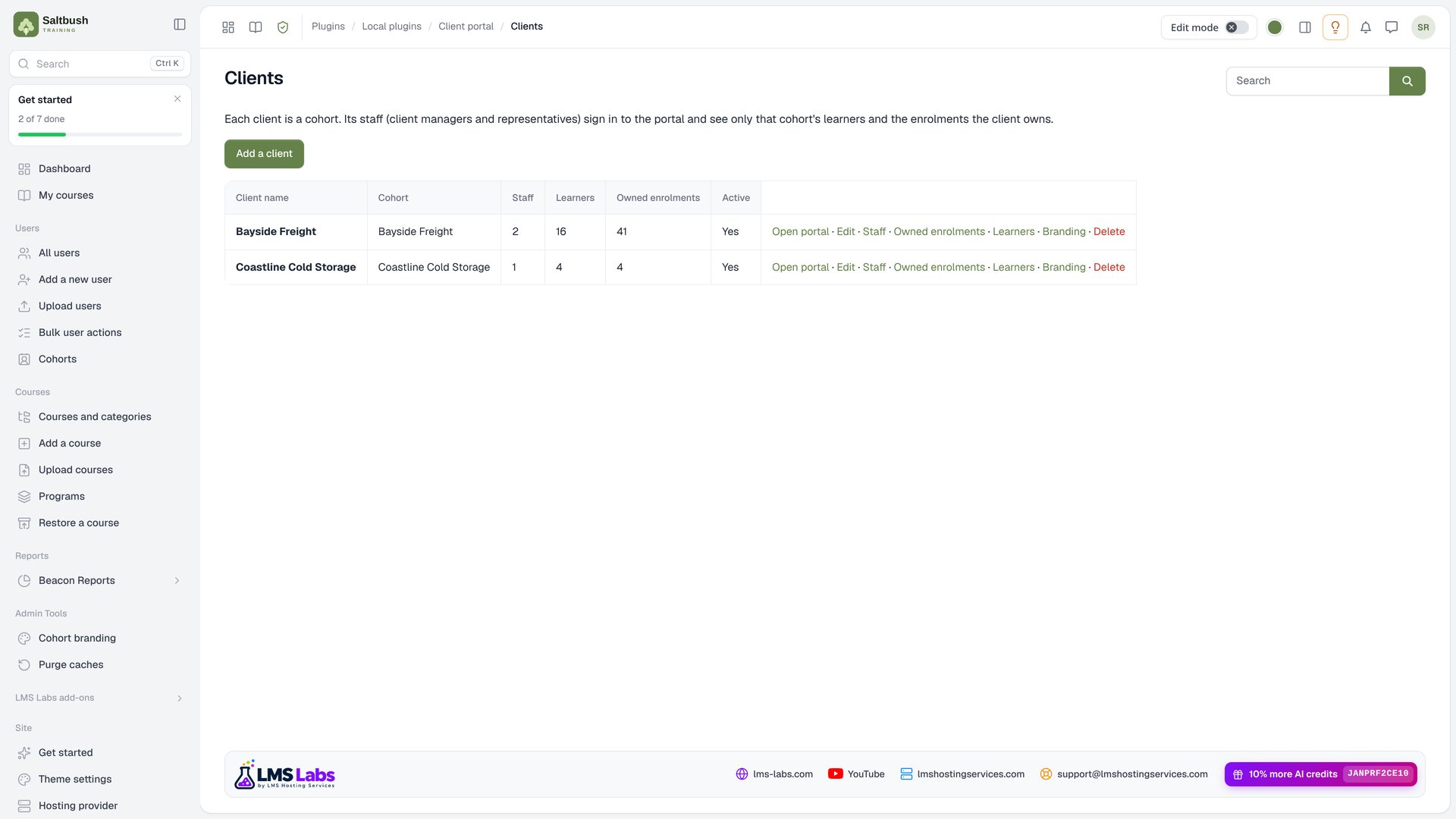
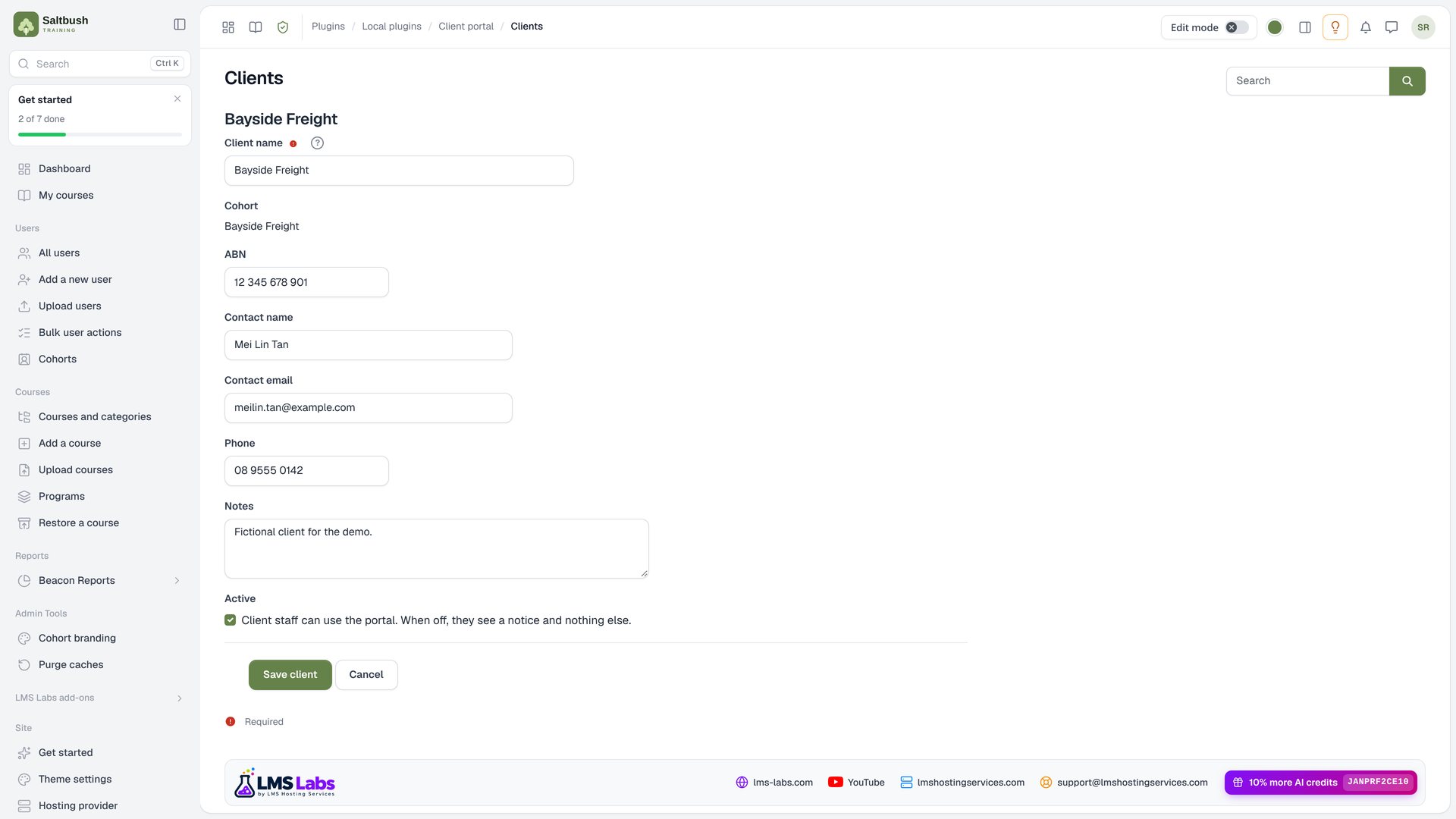
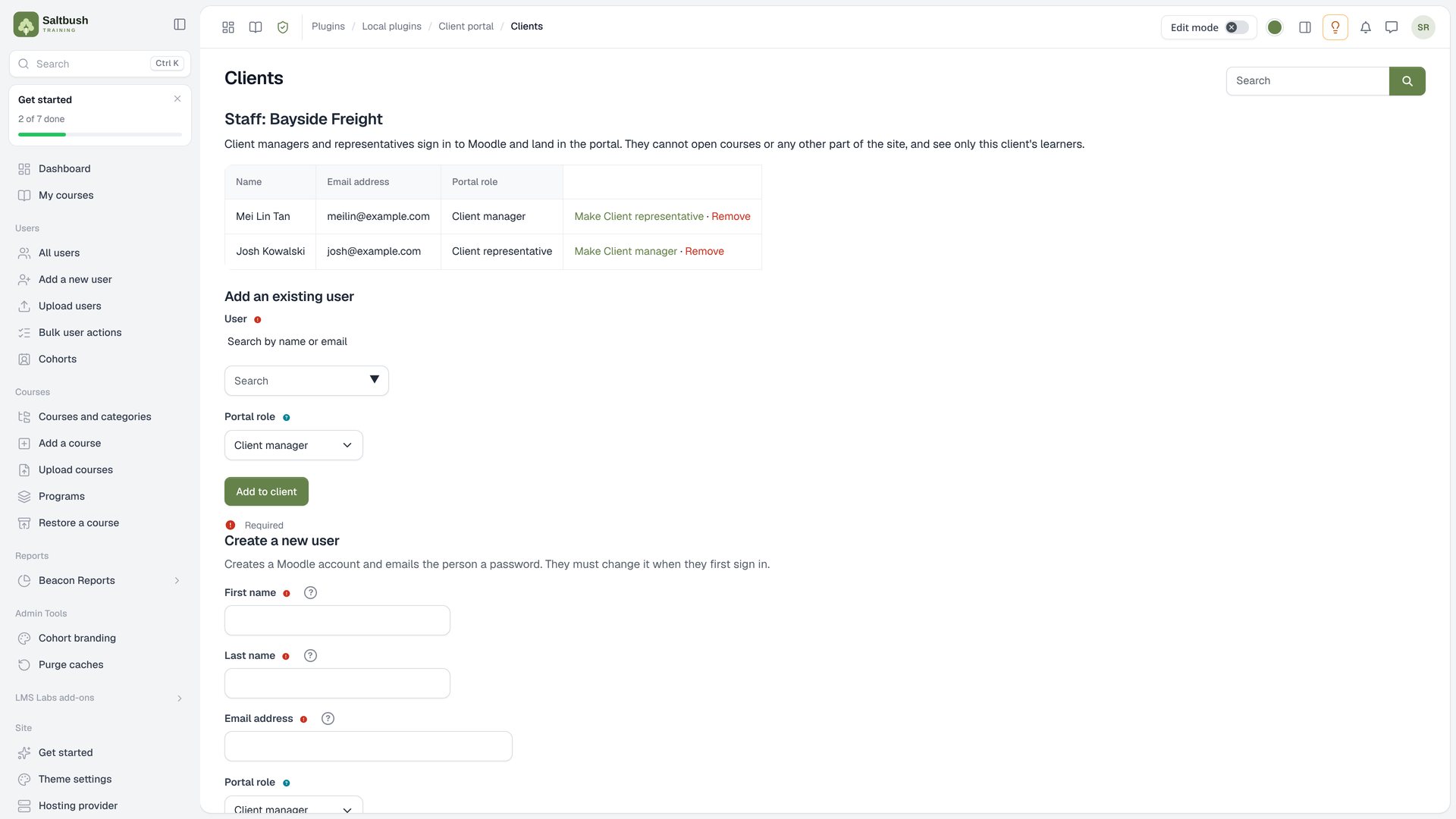
Site administrators set up each client once: the client, its cohort, its staff and which enrolments it owns.
 12
- 1 Clients
- 2 Cohort
 12
- 1 Name
- 2 Contact
 12
- 1 Manager
- 2 Representative
12- 1 Already
- 2 New
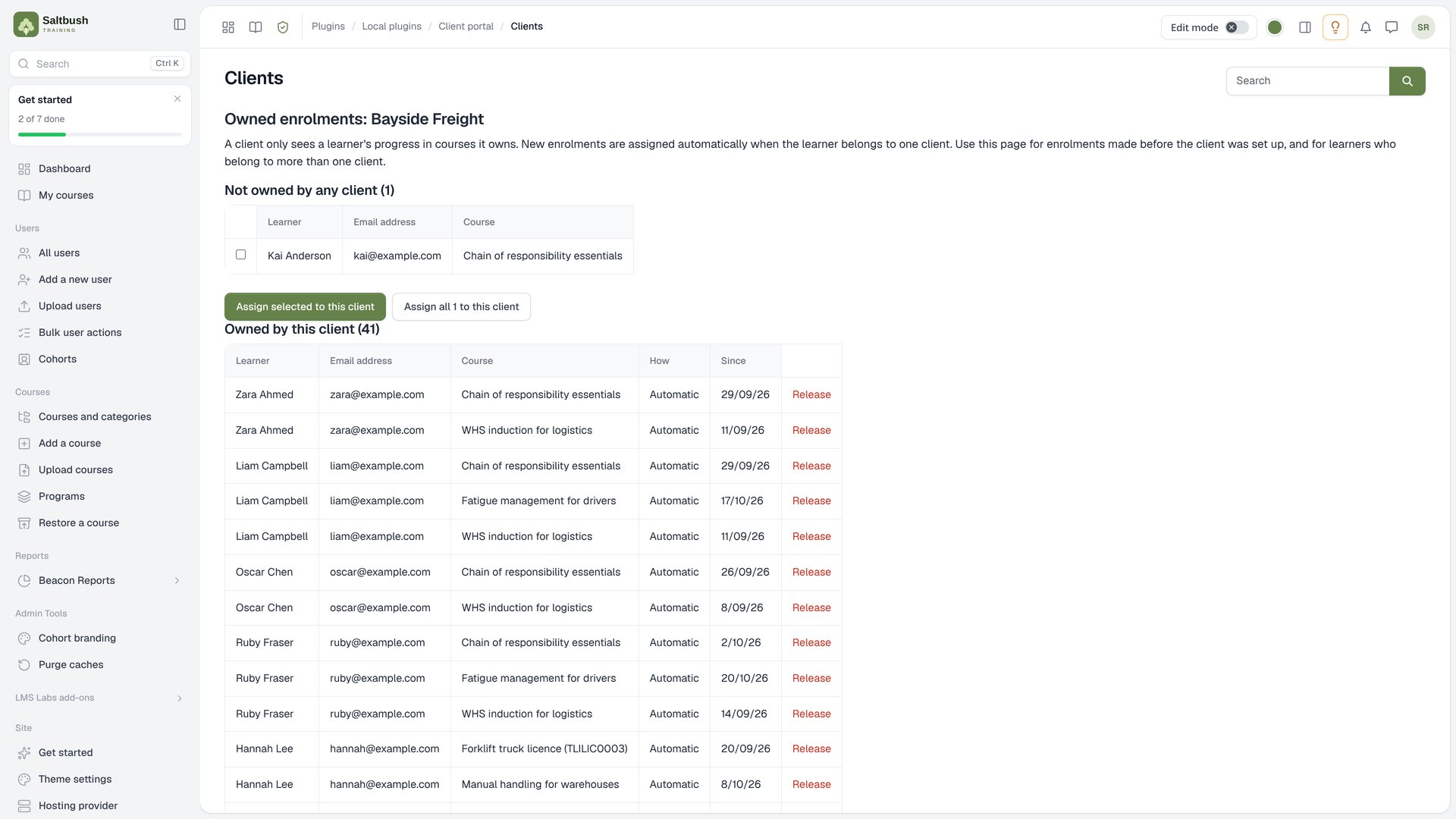 1
- 1 Courses
1- 1 Kai
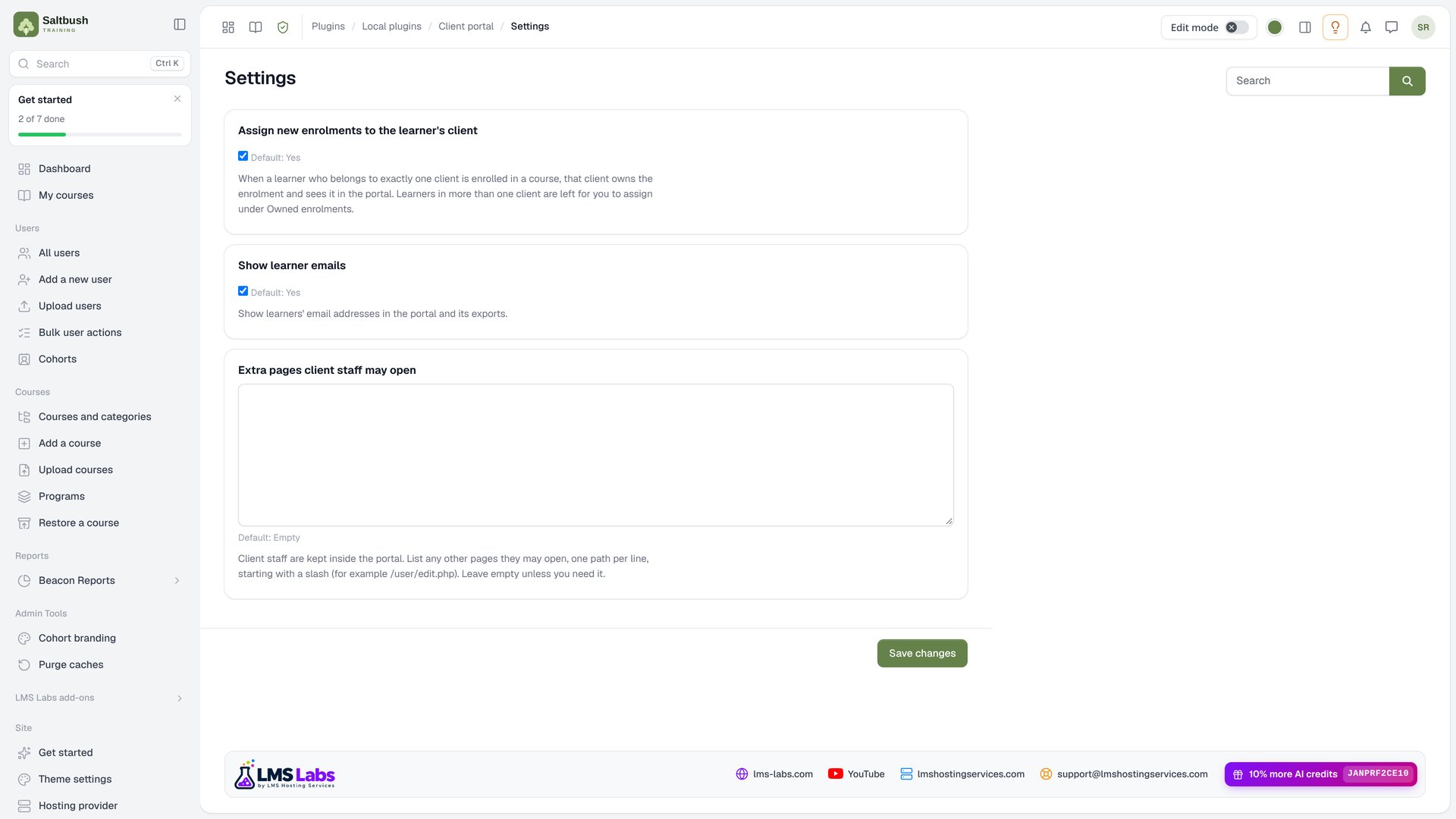 123
- 1 Automatically
- 2 Emails
- 3 Pages
3Signing in
Client staff use your normal login page and land straight in their portal. The rest of the site is closed to them.
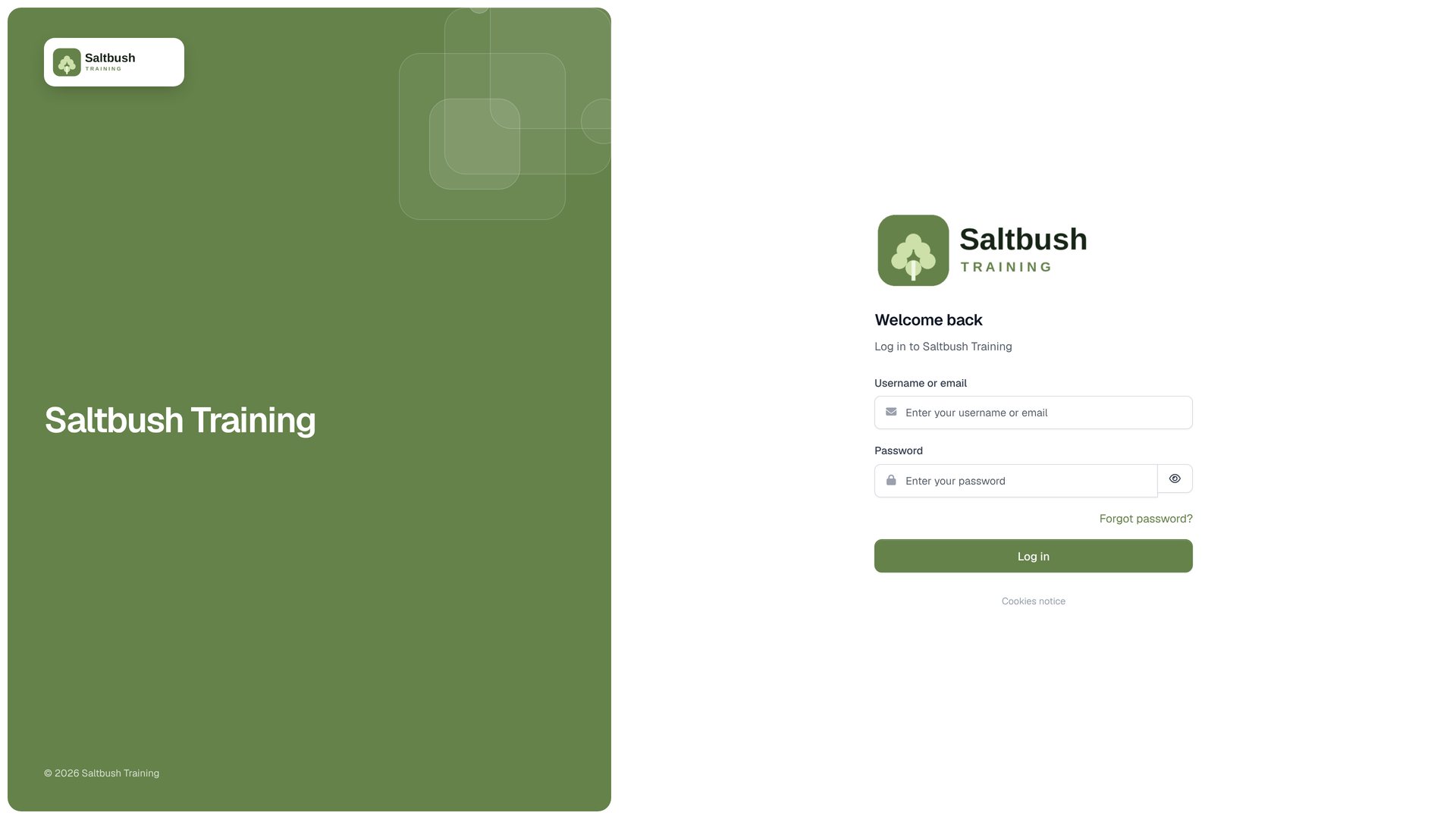 1
- 1 Log
12- 1 Logo
- 2 Course
4Dashboard
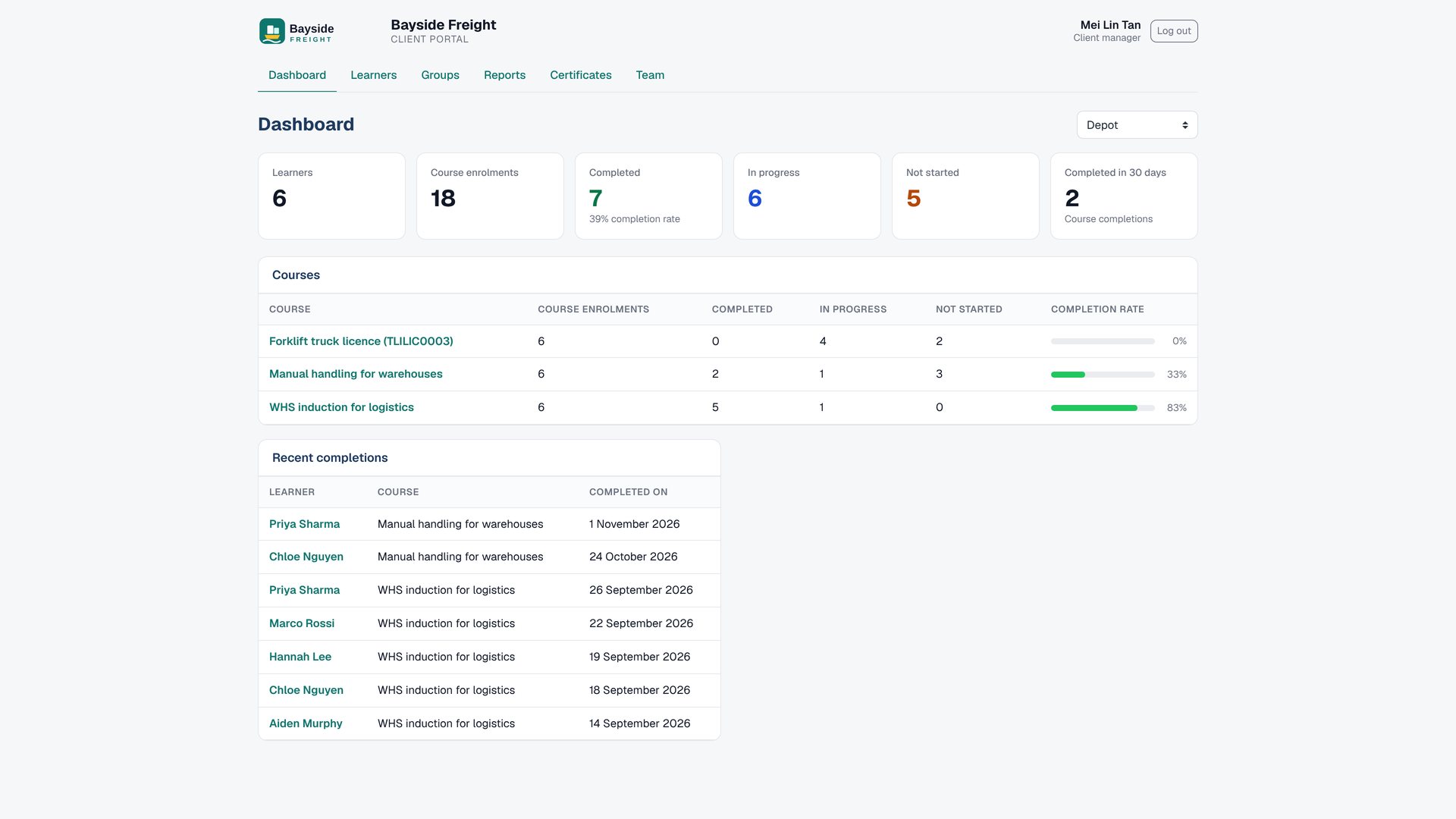
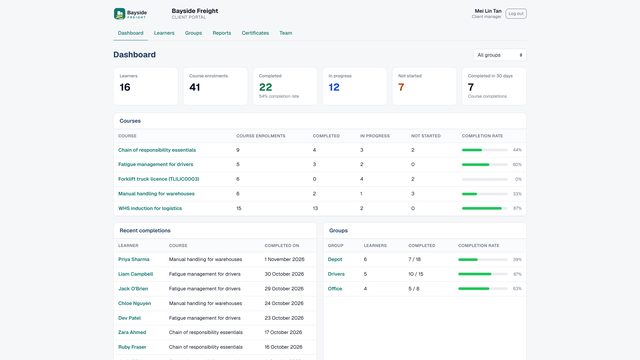
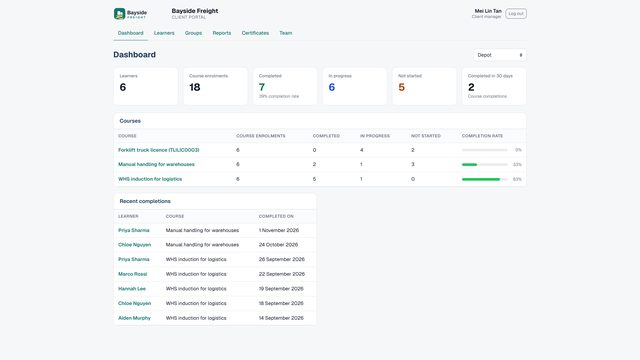
The first page client staff see: headline numbers, every course, the latest completions and each group.
123- 1 Learners
- 2 Completions
- 3 Started
123- 1 Course
- 2 Latest
- 3 Group
 1
- 1 Group
5Learners
Every learner the client has, with drill-down to each course, each activity and each certificate.
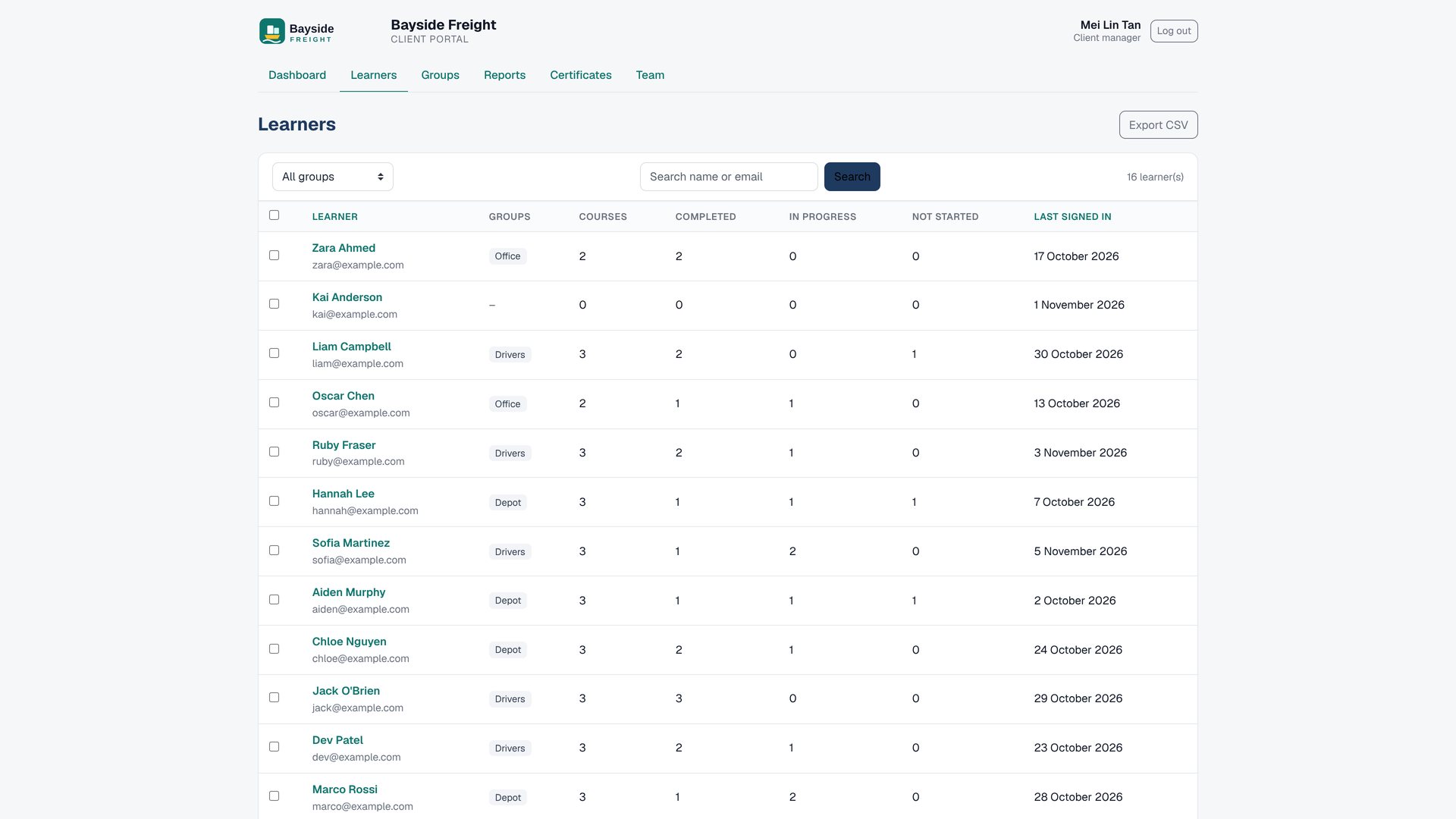 12
- 1 Groups
- 2 Signed
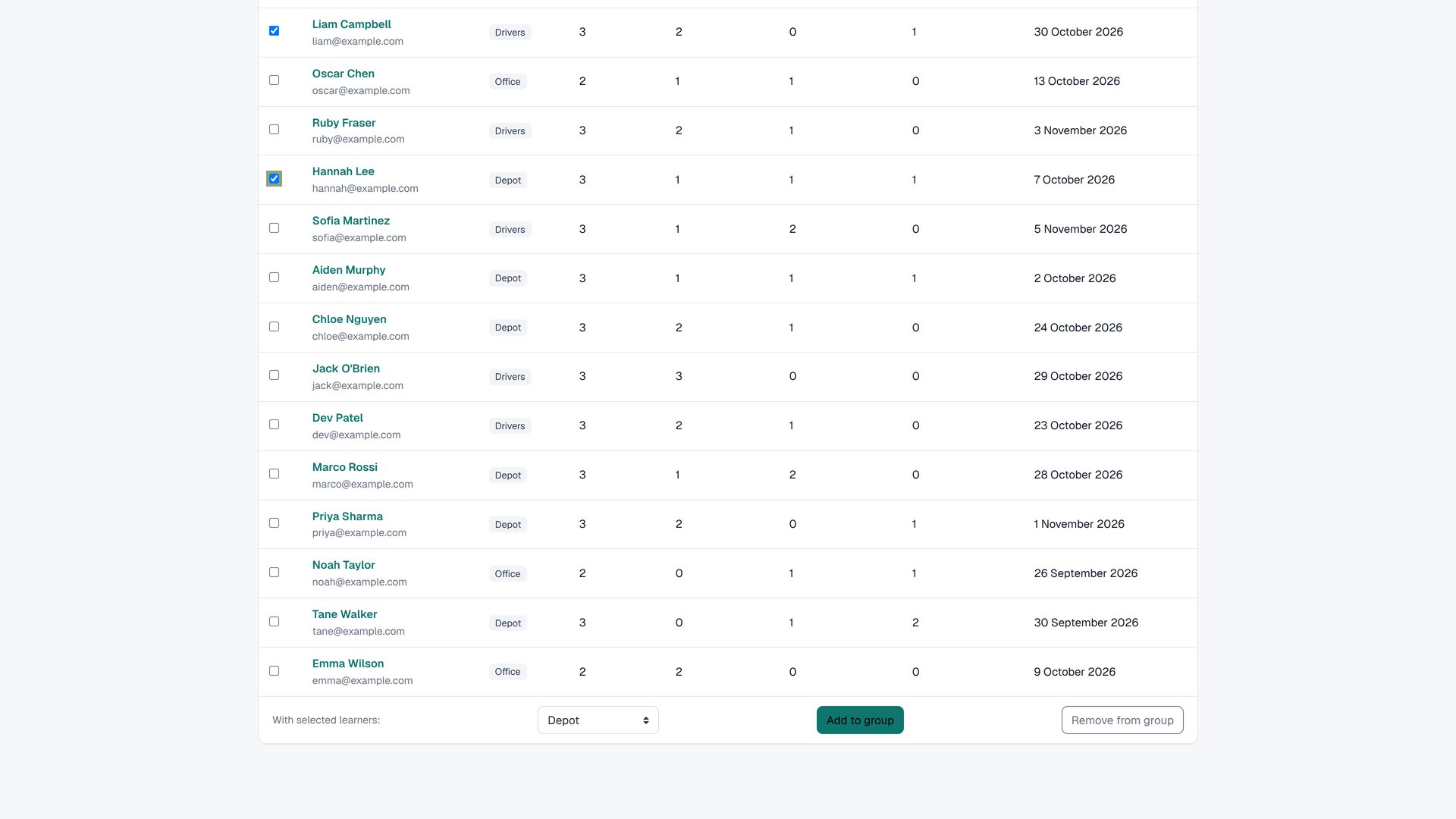 1
- 1 Group
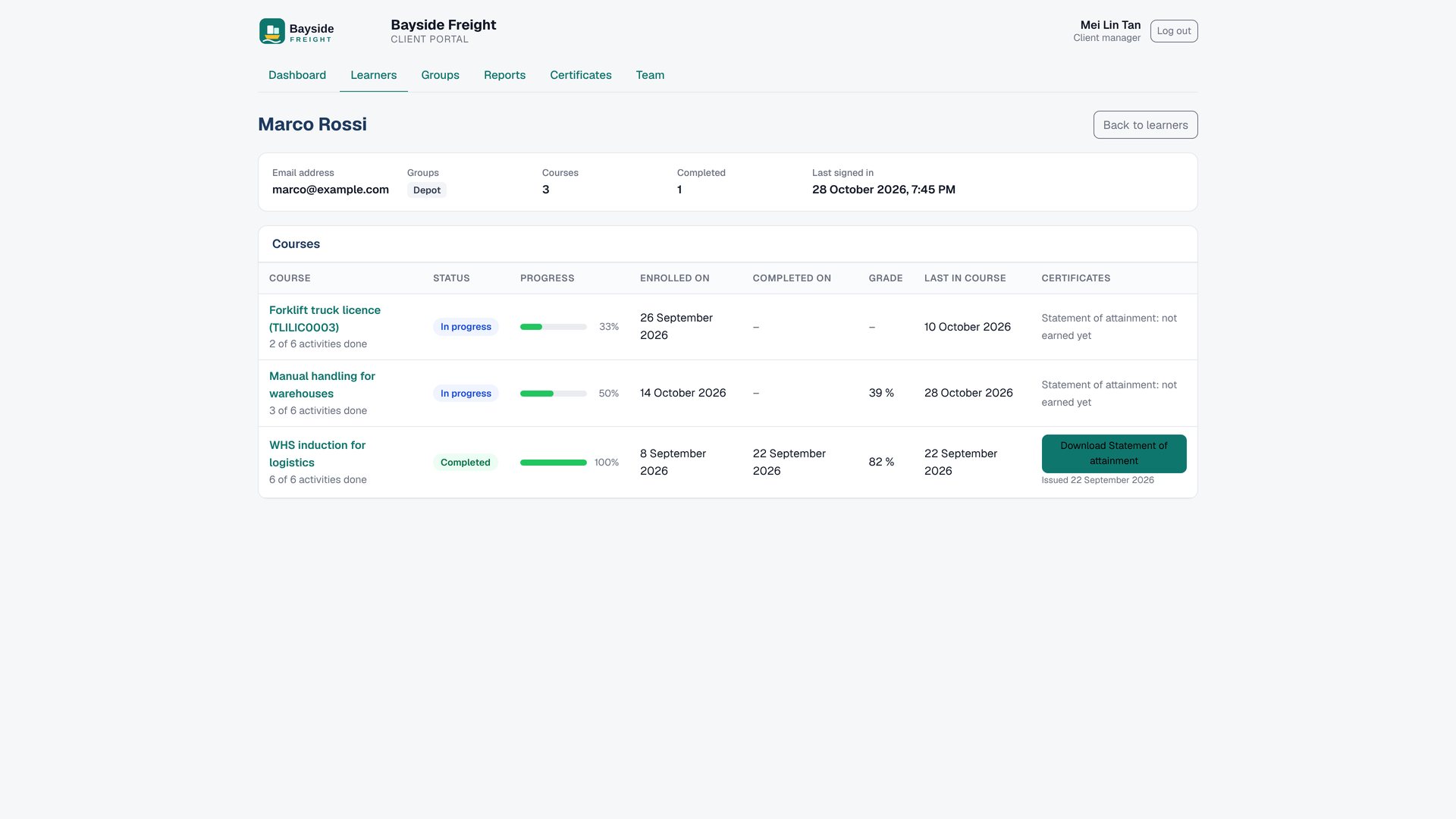 123
- 1 Status
- 2 Progress
- 3 Grade
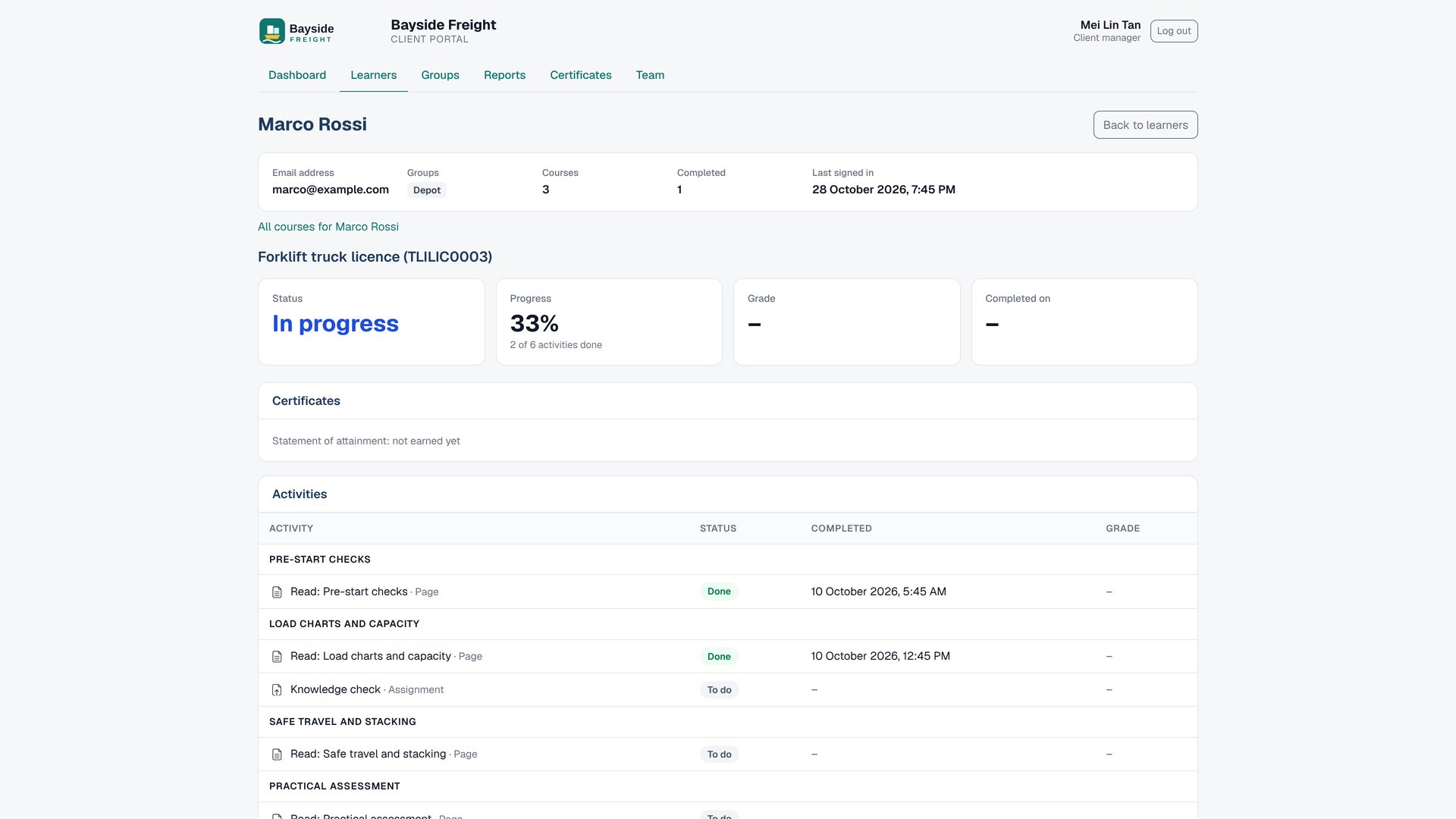 12
- 1 Activity
- 2 Completed
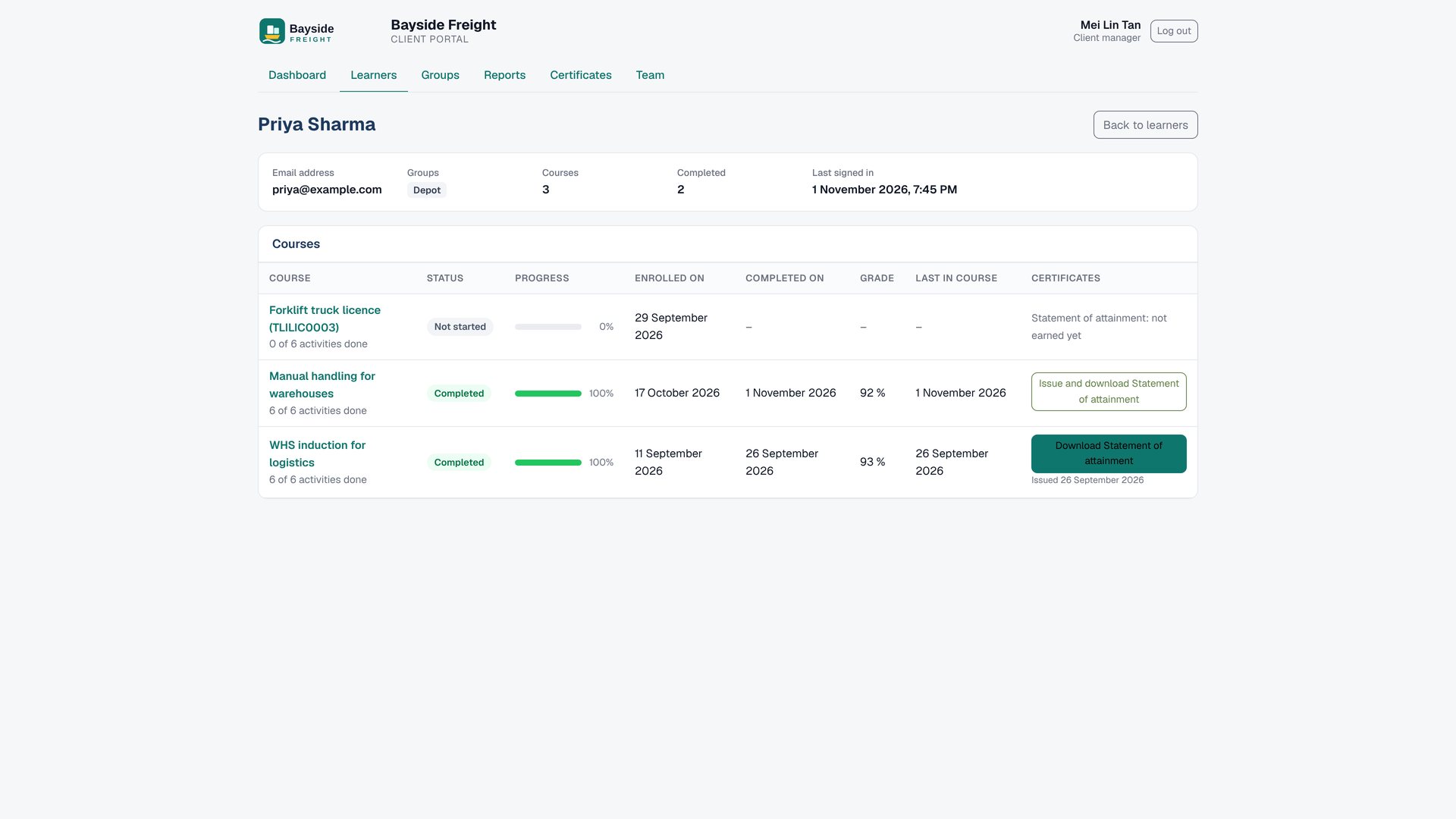 12
- 1 Download
- 2 Issues
6Groups
The client's own way of organising people. Portal groups never change your courses, cohorts or Moodle groups.
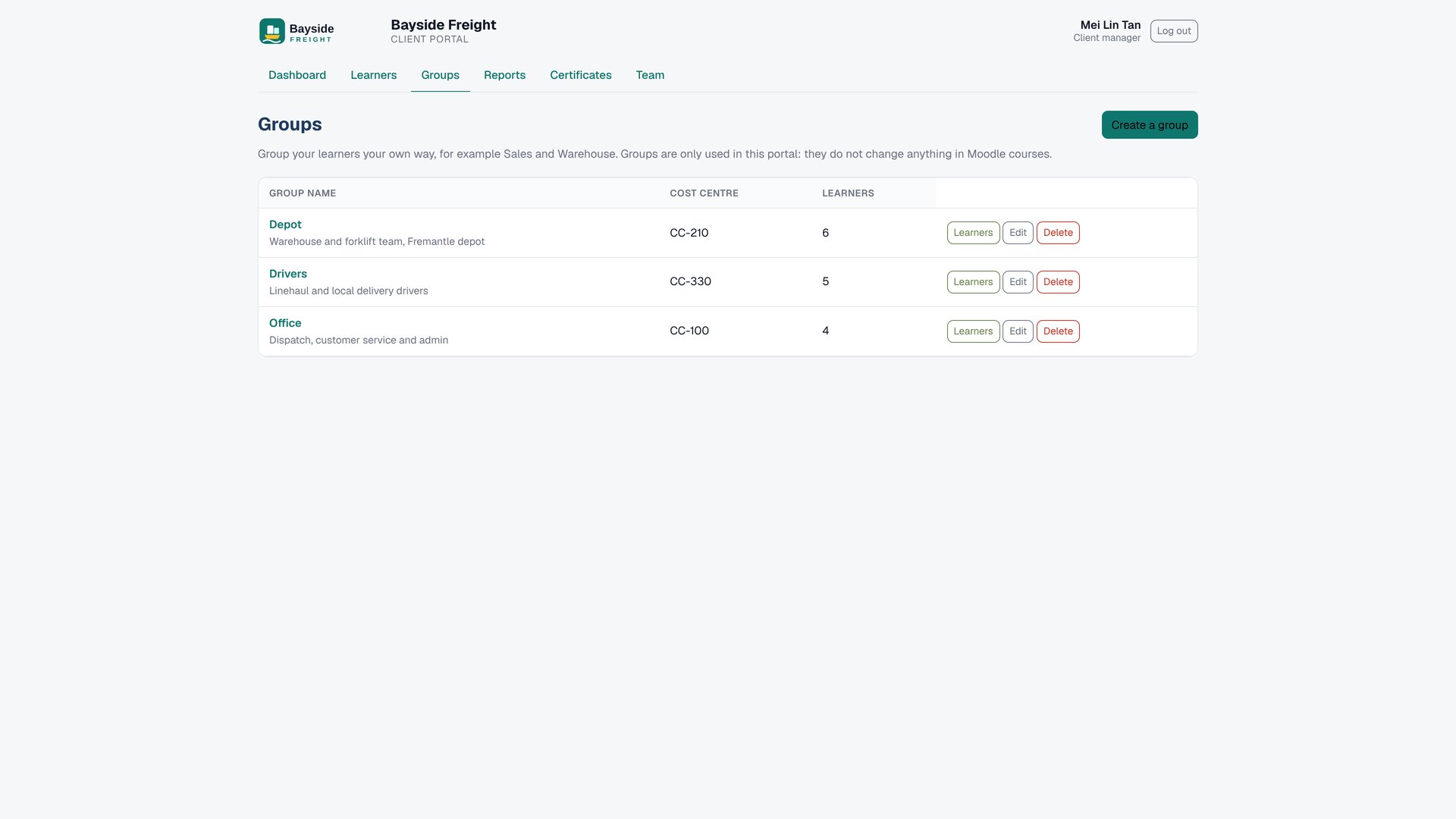 12
- 1 Depot
- 2 Cost
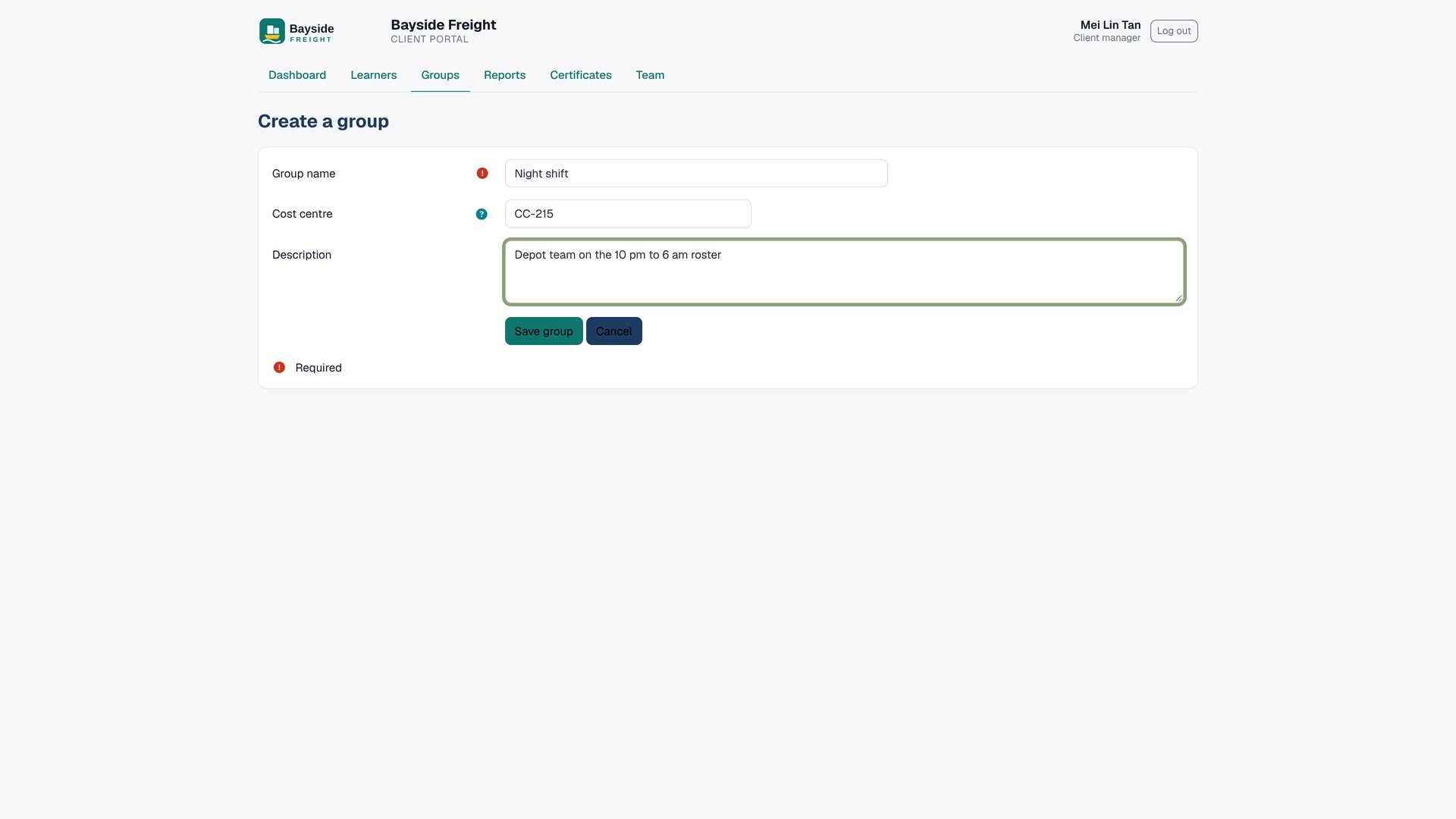 12
- 1 Name
- 2 Cost
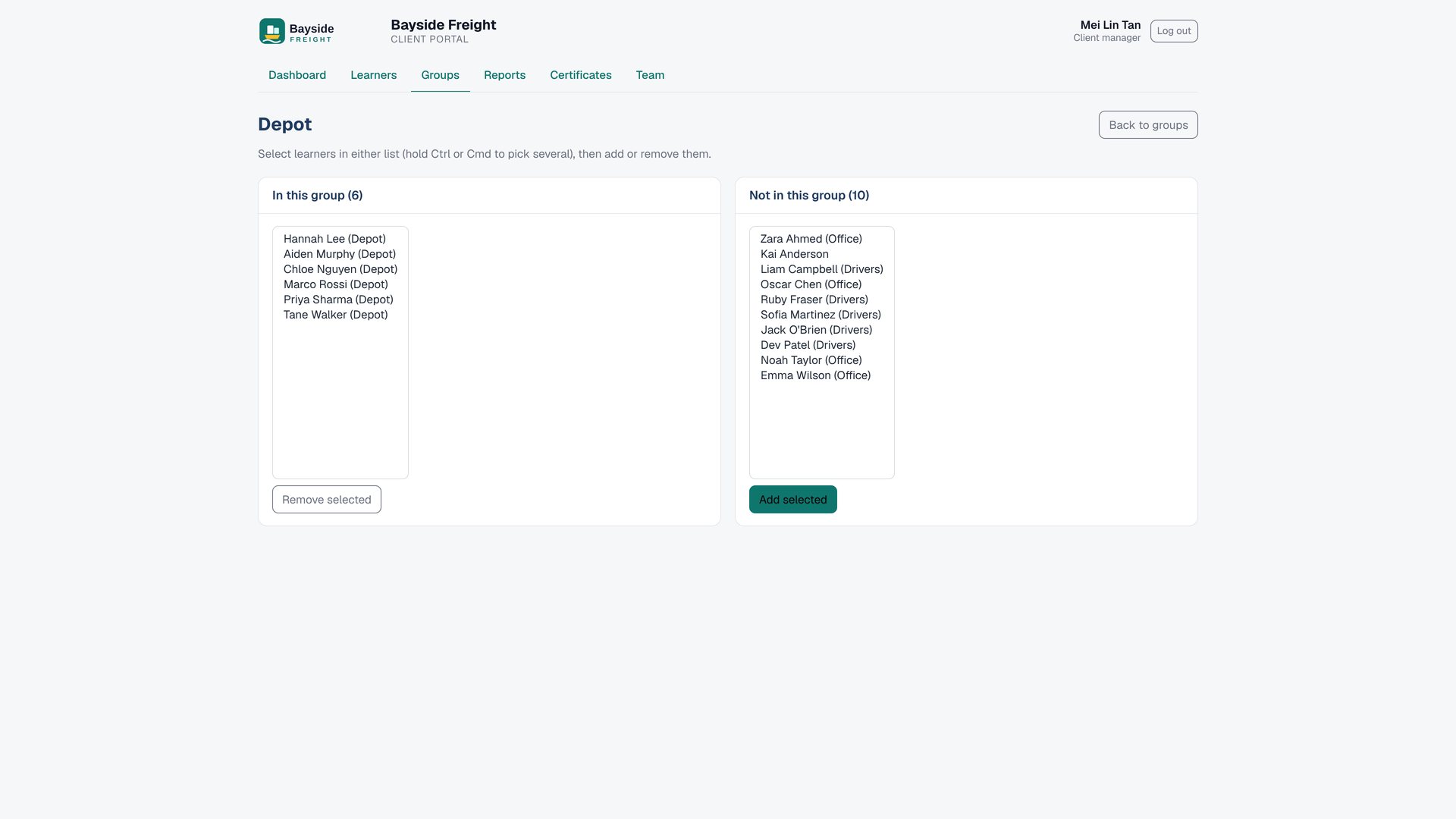 12
- 1 In
- 2 Out
7Reports and certificates
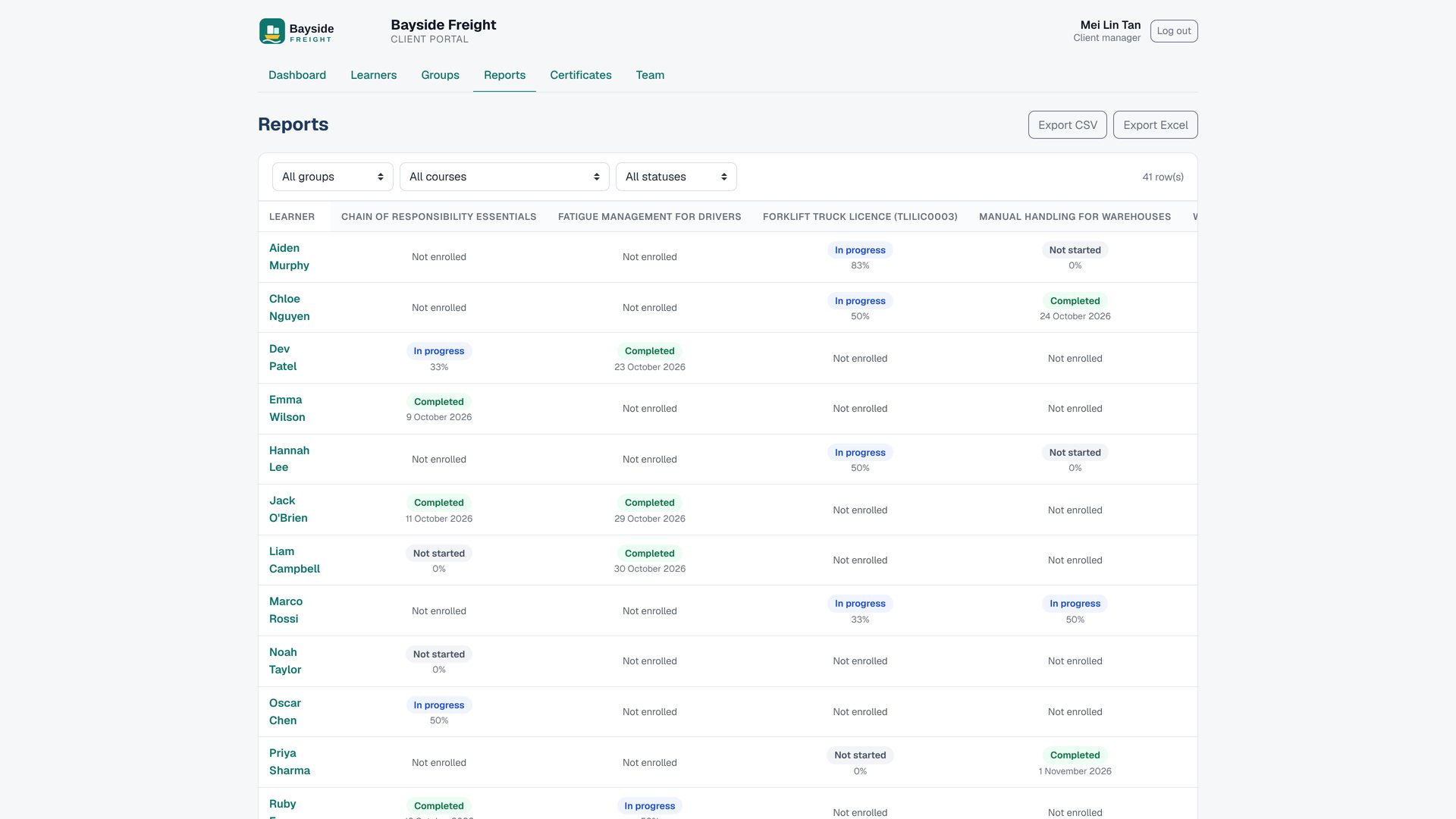
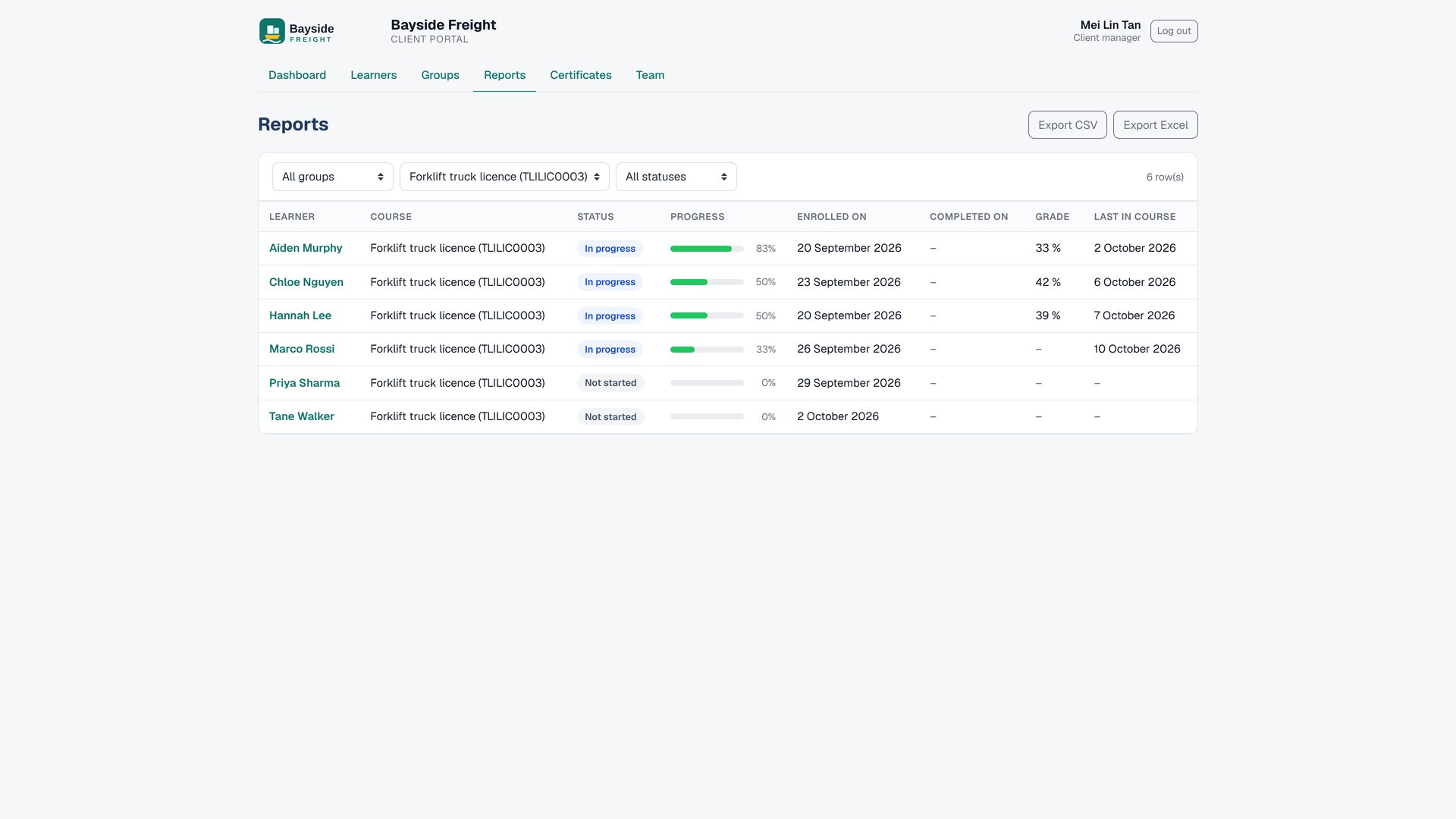
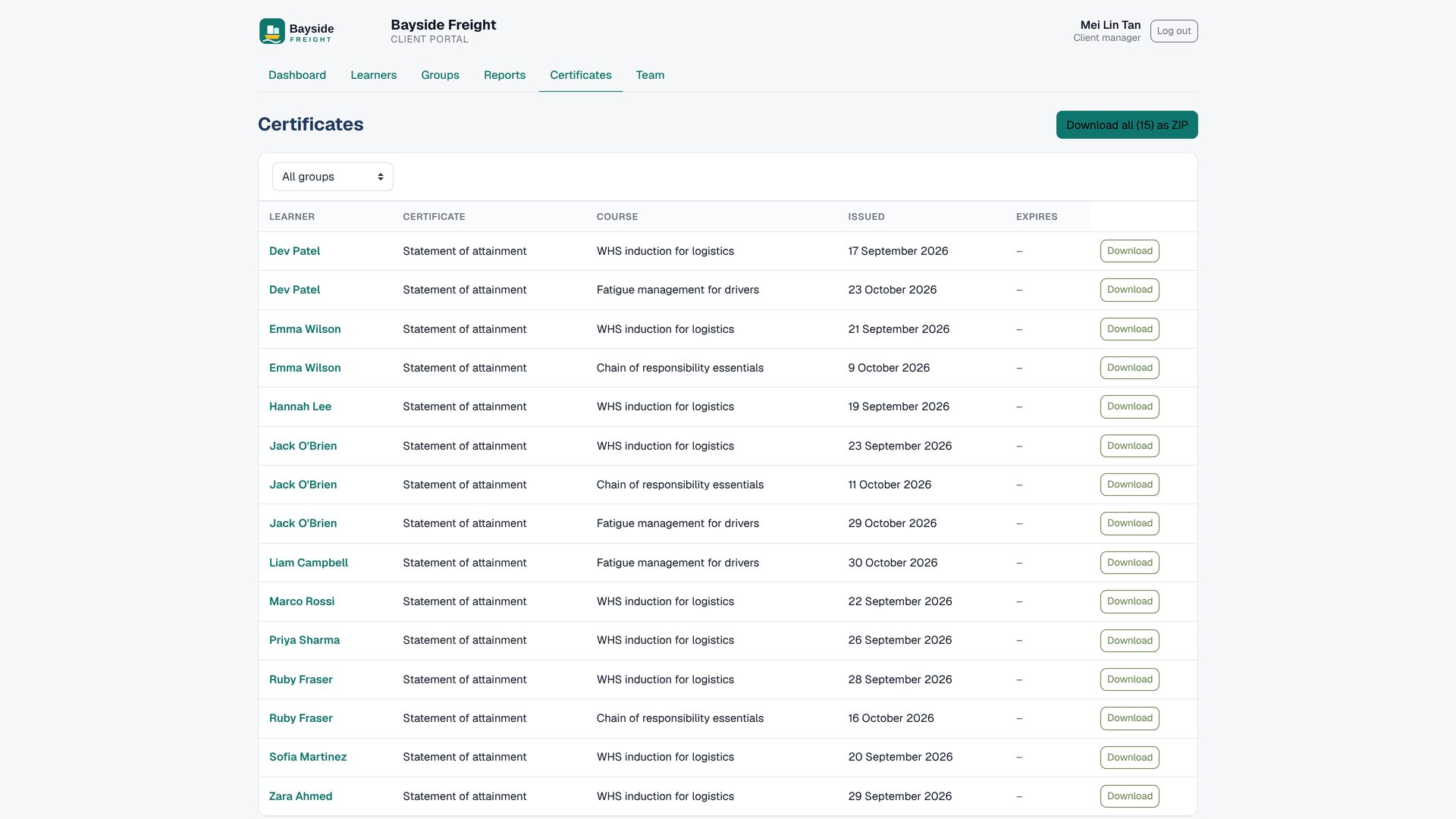
A progress matrix with filters and exports, and every certificate in one place.
 1
- 1 Course
 123
- 1 Filter
- 2 Excel
- 3 Csv
 12
- 1 One
- 2 All
8Team and privacy
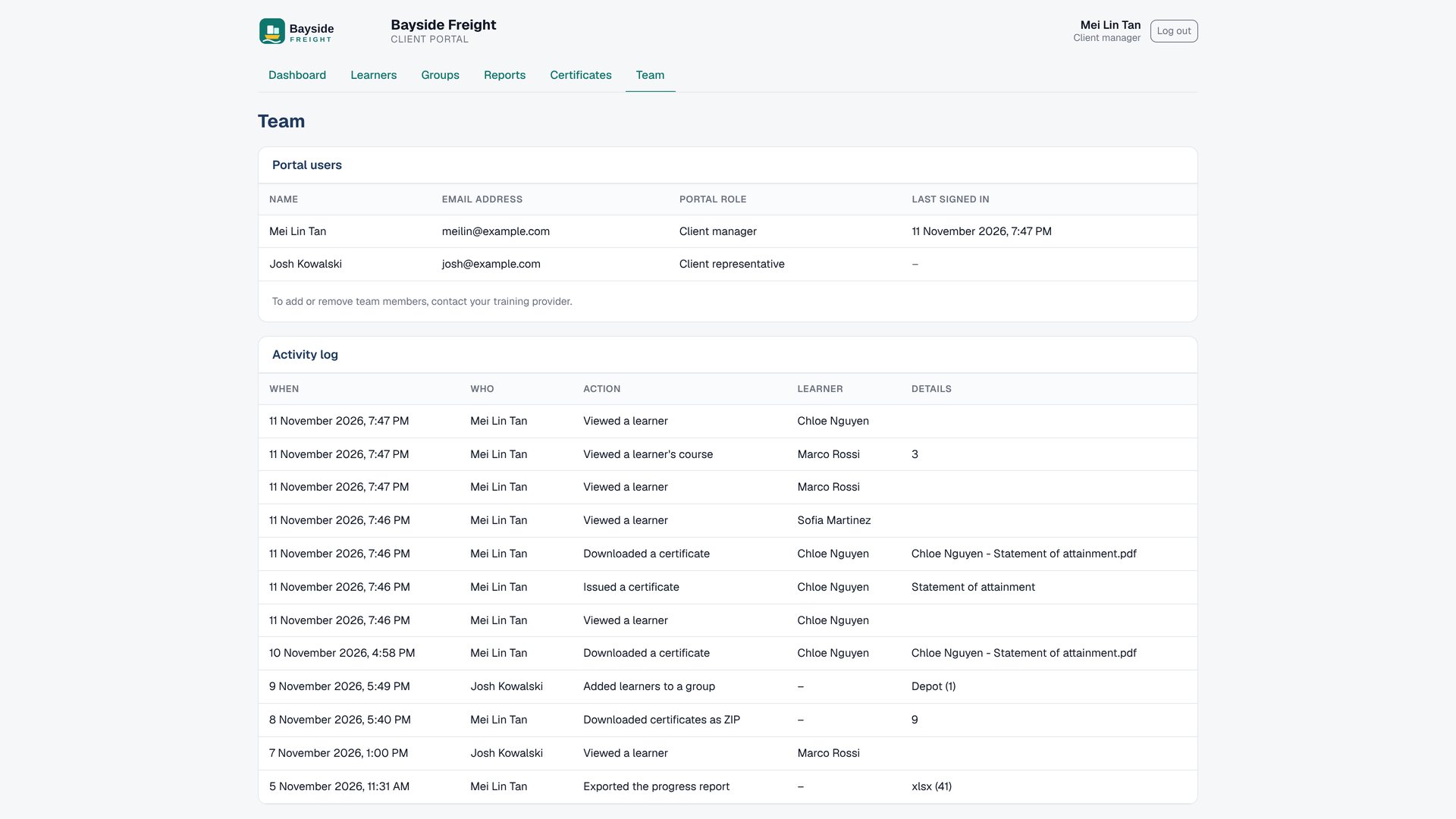
Who has access, what they did, and how one client's view stays separate from another's.
 12
- 1 Access
- 2 Log
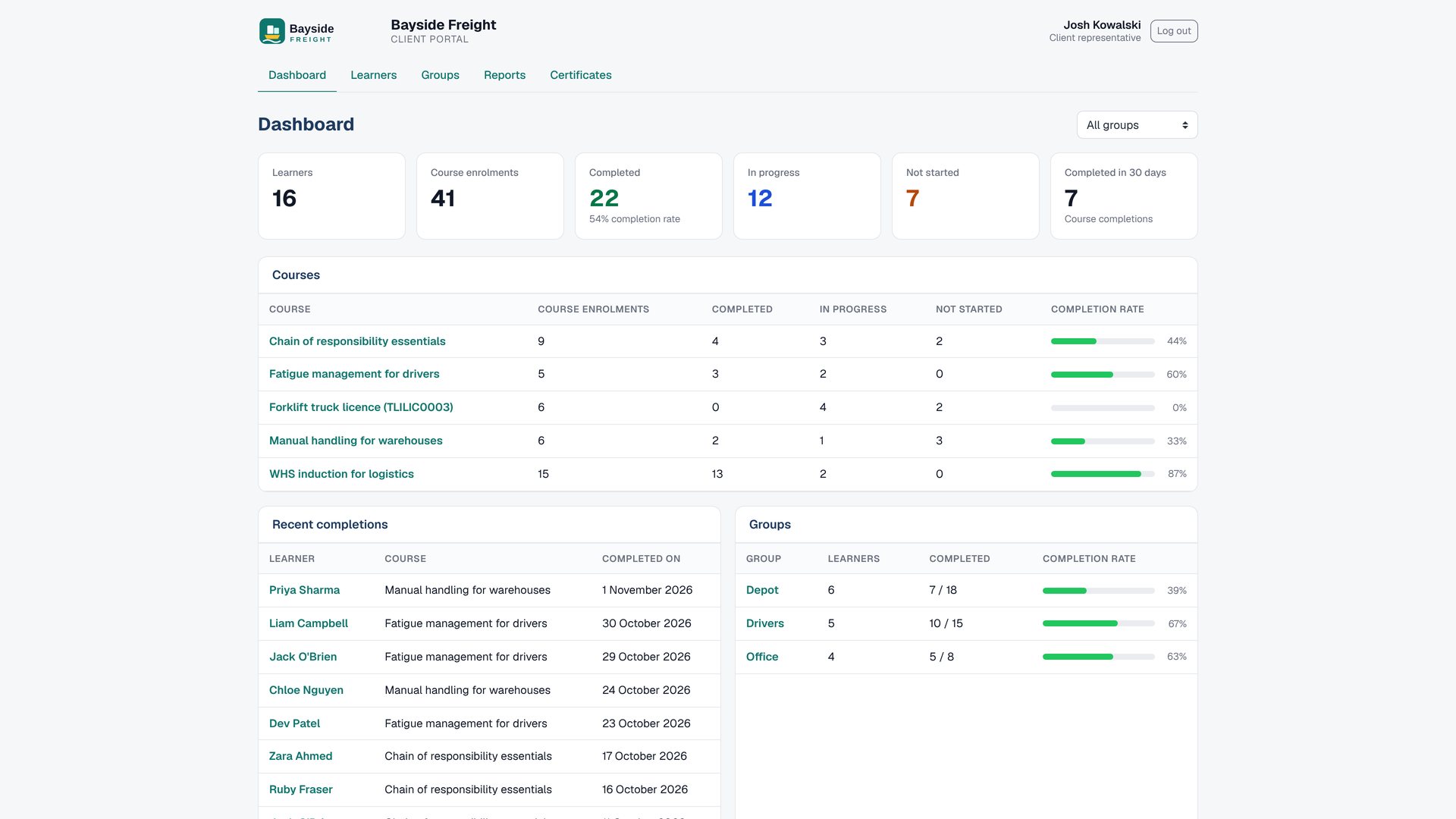 1
- 1 Representatives
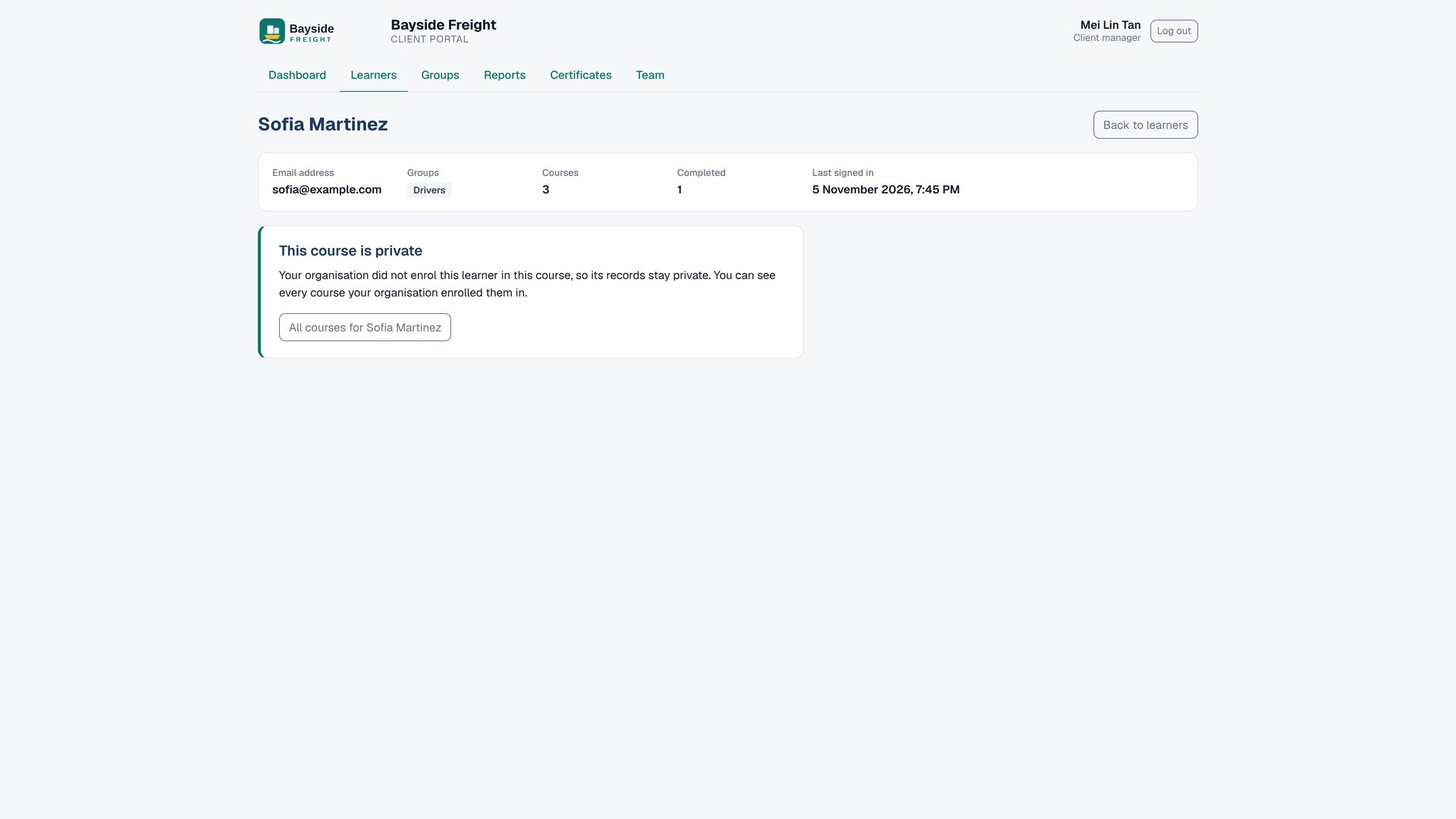 1
- 1 Privacy
9Help
Client staff can't reach your site's other pages, so the portal has its own Help tab: 17 short guides to every page, each with a screenshot, numbered pins and steps. Representatives don't see the Team guide.
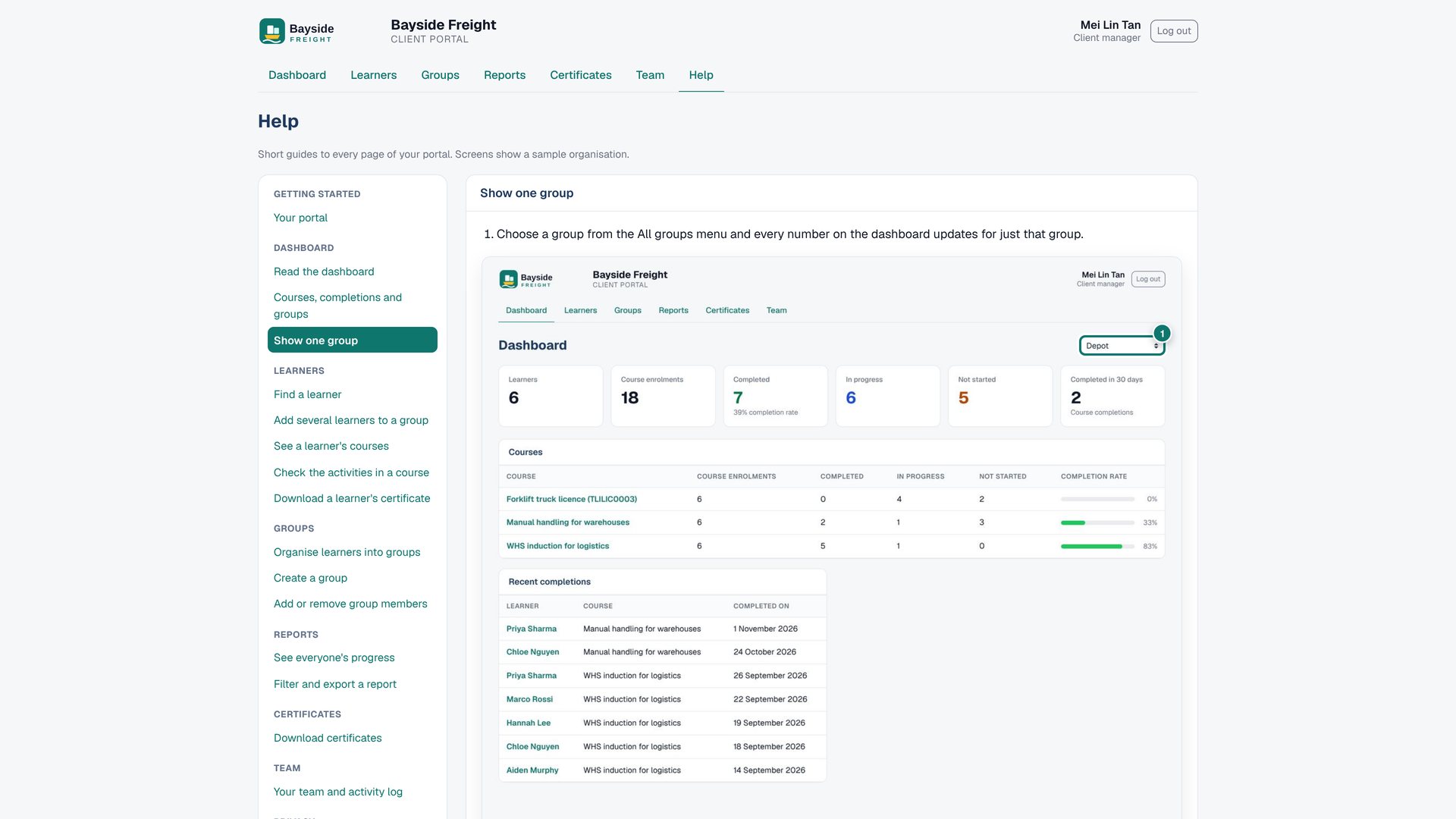 12
- 1 Help
- 2 Guides
12- 1 Screenshot
- 2 Pins
10Wrap up
Where to get it and what it works with.
★No AI, by design
Client Portal reads your Moodle data: enrolments, activity completion, grades and certificates. It uses no AI, no AI credits and no ChatGPT, so there is nothing extra to pay and nothing sent to an AI service.
⚙Install and requirements
- Download
local_clientportal_v1.0.5.zipfrom lms-labs.com. - Go to Site administration › Plugins › Install plugins, drop the ZIP in and finish the upgrade.
- When the upgrade finishes, run Site administration › Development › Purge caches › Purge all caches so every browser loads the theme with the portal's styles. Do this after every update too.
- Open Site administration › Plugins › Local plugins › Client portal › Clients and add your first client.
| Works with | Moodle™ 4.4 to 5.3 (tested on 4.4, 4.5, 5.0, 5.1, 5.2 and 5.3) |
|---|---|
| Recommended | Cohort Branding (client logo and colours) and the Premium SaaS theme |
| Certificates | Custom certificate (mod_customcert, including 5.2+) and Course certificate (Certificate manager) |
| Role created | "Client portal user", given automatically to client staff |
🔒Permissions
| Who | What they can do |
|---|---|
Site administrator or anyone with local/clientportal:manageclients | Add clients and staff, assign owned enrolments, open any client's portal (support view) |
| Client manager | Everything in their portal, including the team page and activity log |
| Client representative | Learners, groups, reports and certificates for their client |
| Learners | Nothing changes for them |
✓Best practice
- One cohort per client. Let the portal create it, then add learners as you enrol them.
- Separate staff accounts. A client manager who is also a learner needs two accounts. The portal refuses to make an enrolled user staff.
- Turn on automatic assignment. Then only learners who work for two clients need you to choose an owner.
- Add Cohort Branding. Each client then sees its own logo and colours, which builds trust.
- Restrict certificates to finishing the final assessment, so the portal only offers certificates that have been earned.
🛡Privacy and data
A client sees only members of its cohort, and only the course enrolments it owns. A learner who also studies privately or through another client keeps those courses private. The plugin stores client staff, owned enrolments, client groups and an activity log, all covered by the Moodle privacy API (export and delete). Removing a learner from a client's cohort removes them from that client's groups.
?FAQ
Can client staff open courses or other pages?
No. Client staff are sent back to their portal from every other page. Site administrators are never locked.
What if a learner works for two clients?
Their new enrolments are not assigned automatically. Choose the owner under Owned enrolments; the other client never sees that course.
Do portal groups change Moodle groups?
No. They exist only in the portal.
Can clients enrol their own people or pay online?
That is the next release: enrolling from the portal at per-course prices, invoices (including Xero) and card or invoice payment.
Does it use AI?
No. No AI, no AI credits, no ChatGPT.
📝Changelog
1.0.5 (12 November 2026): passes the full GitHub CI on Moodle 4.4 to 5.3; now supports Moodle 4.4; cleaner template and styles.
1.0.4 (11 November 2026): release-desk fixes: an empty thirdpartylibs.xml and stricter field types (no PARAM_RAW).
1.0.3 (11 November 2026): first stable release. New Help tab with 17 guides for client staff; portal styles renamed to cport- so other plugins can't restyle the portal; install notes say to purge caches after an update; tidier tabs in the Premium SaaS theme.
0.1.1 (11 November 2026): certificate downloads work with Custom certificate 5.2+; a calm "This course is private" notice; course totals as percentages; links in the client's colour; tested on Moodle 4.5 and 5.3.
0.1.0 (11 November 2026): first release: clients, staff, lockdown, dashboard, learners, groups, reports, certificates, team and activity log.
▦Every screen
 What Client Portal is forOne branded portal per clientThe demo and no AI
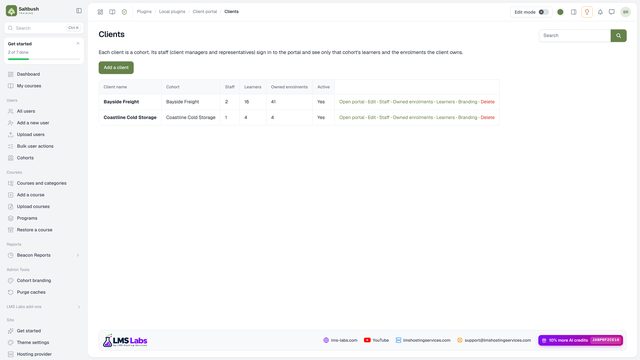 The clients list
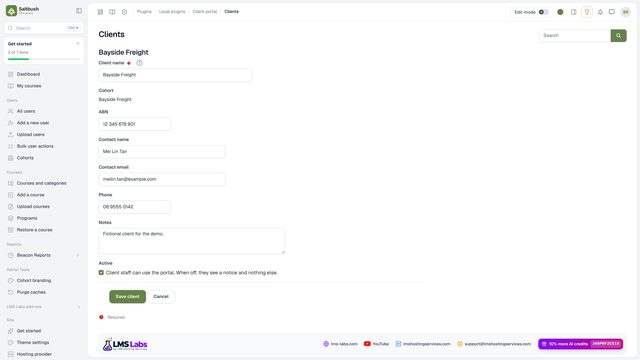 Add a client
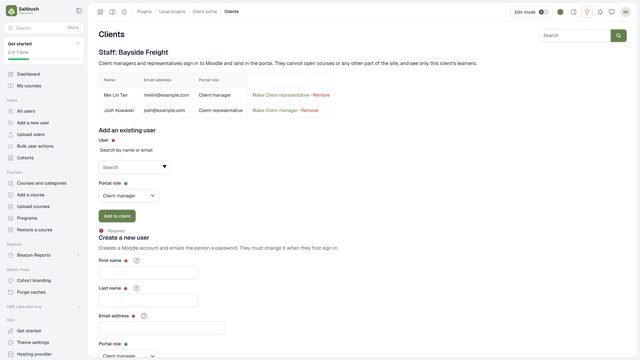 Add client staffExisting or new accounts
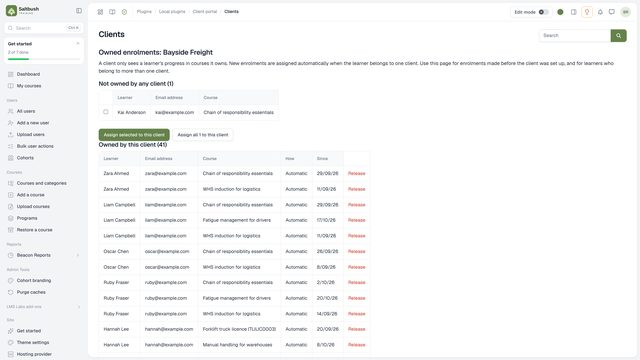 Owned enrolmentsLearners in two clients
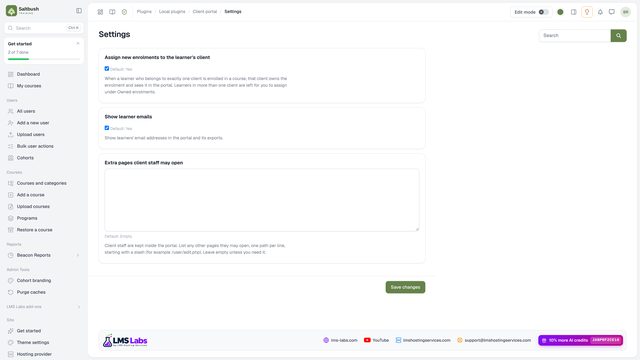 Settings
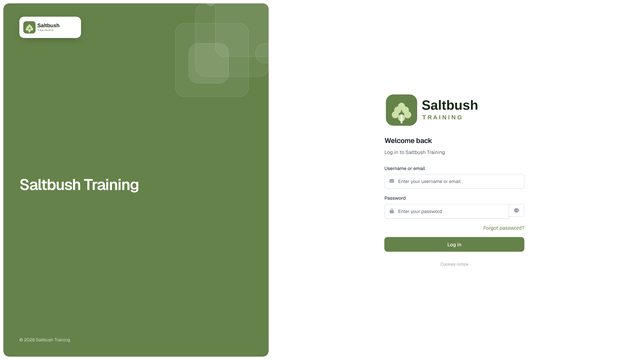 Sign inLocked to the portalHeadline numbersCourses, completions and groups
 Filter by group
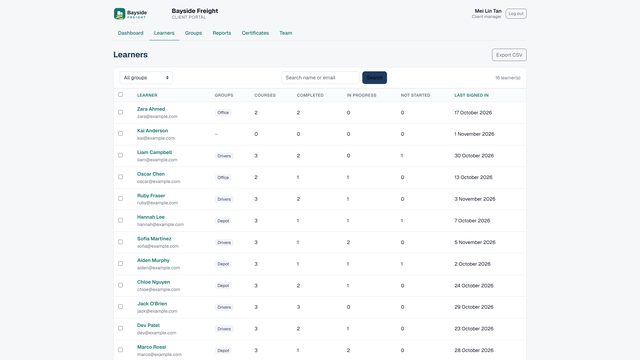 The learners list
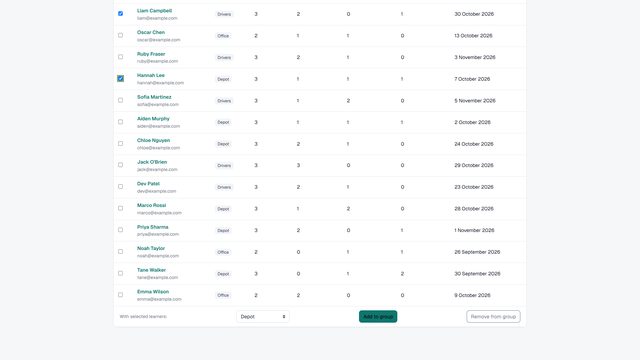 Add learners to a group
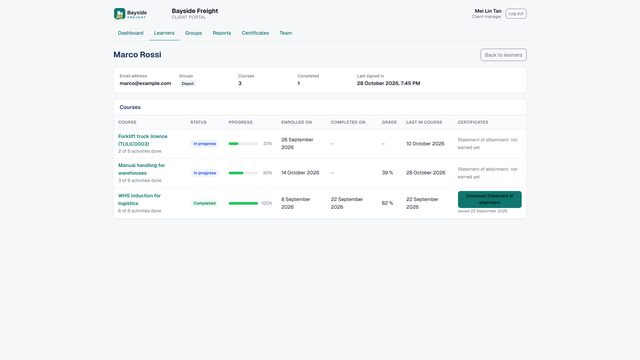 One learner
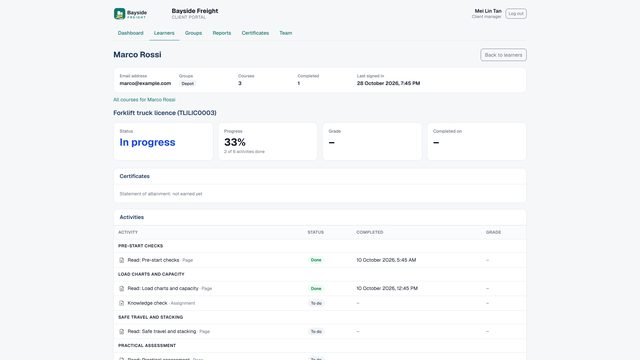 Every activity
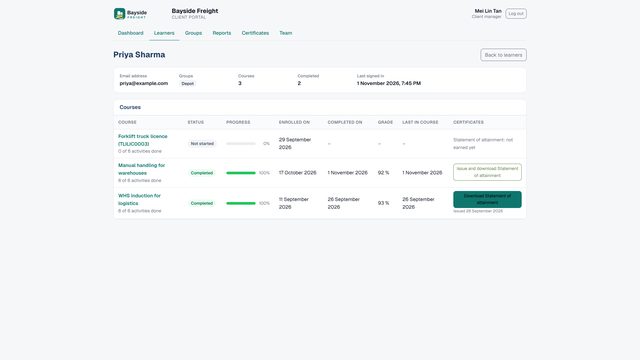 Certificates for a learner
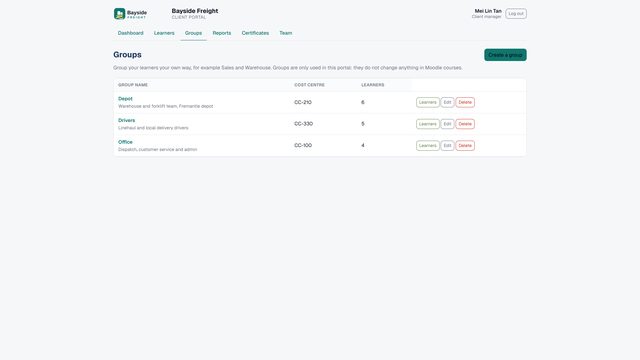 Client groups
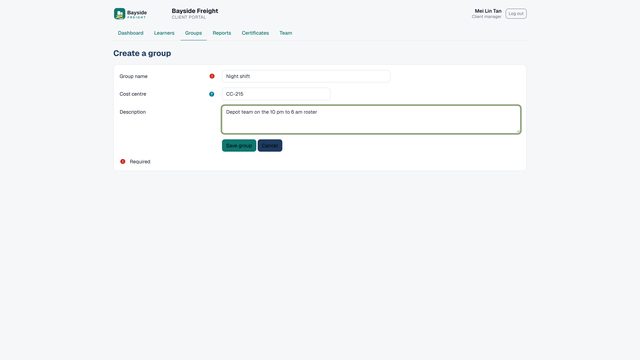 Create a group
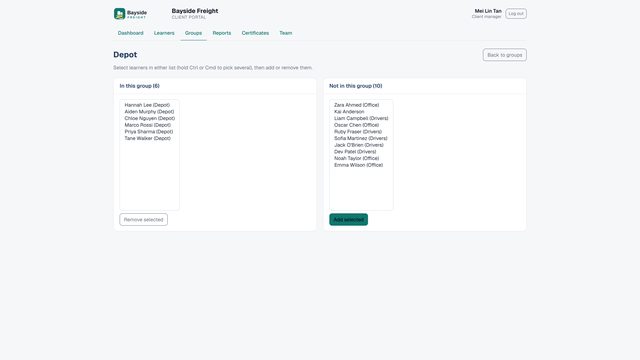 Group members
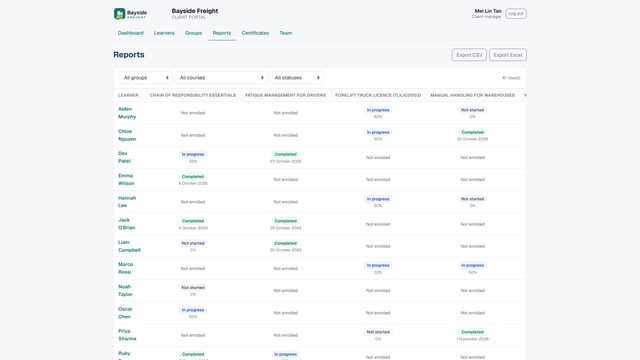 The progress matrix
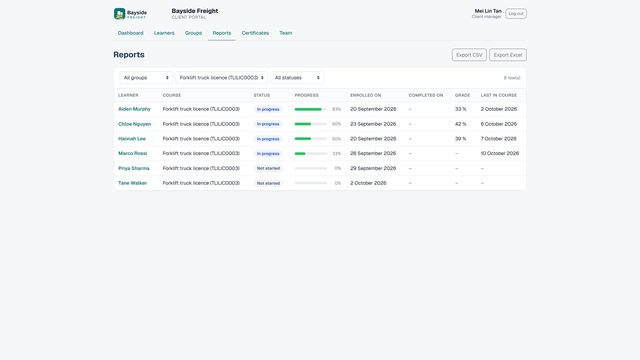 Filter and export
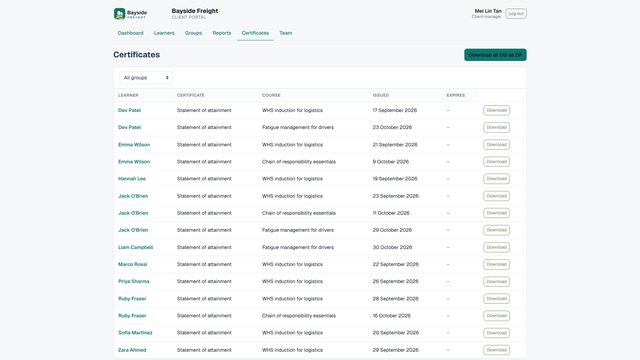 All certificates
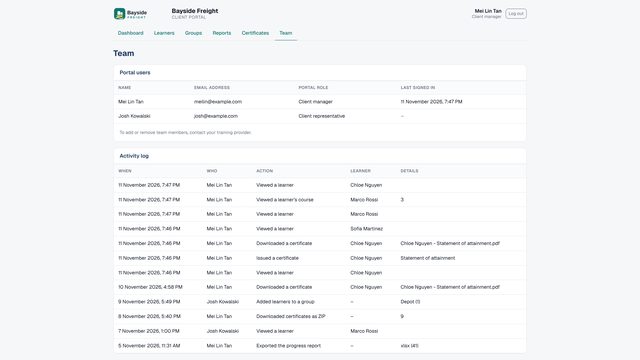 Team and activity log
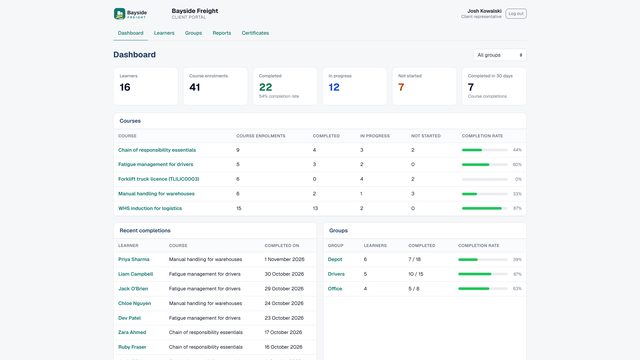 The representative view
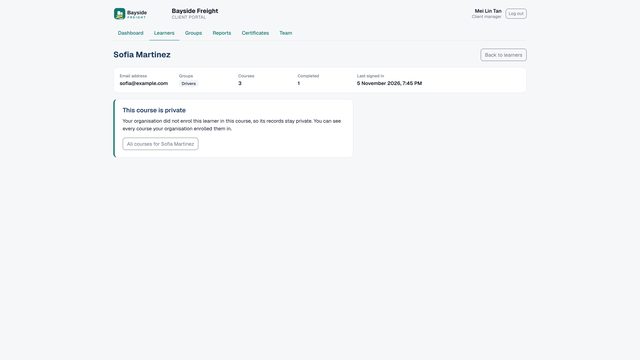 Privacy between clients
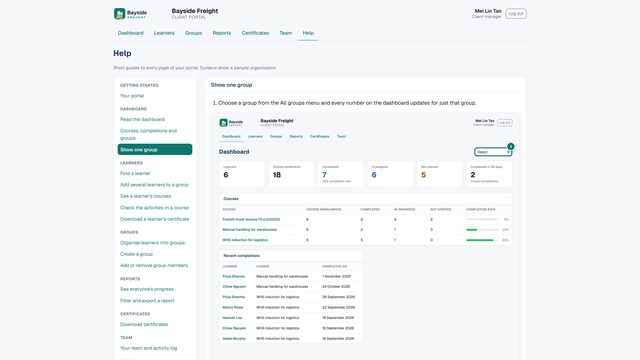 The Help tabPinned guidesWhere to get it